
Clean Theme & Plugin Install
Flawless setup of ThemeForest and CodeCanyon scripts with sample demo content and database imports.


Professional service for installing Codecanyon scripts and PHP scripts. Get expert help with Codecanyon script installation today.
Supported CMS & E-Commerce Platforms
CMS & E-Commerce Mastery
From initial theme installation to emergency malware eradication, our certified CMS specialists keep your digital storefront fast, secure, and profitable.
Flawless setup of ThemeForest and CodeCanyon scripts with sample demo content and database imports.

Complete removal of malicious redirects, webshells, pharma hacks, and database injection backdoors.

Redis object caching, database transients cleanup, script minification, and image WebP conversion.

Migrate active stores, customer carts, order histories, and payment webhooks with zero dropped transactions.

Bypass aggressive caching on cart, checkout, and account pages while keeping static assets blazingly fast.

Lock down wp-admin, disable XML-RPC attack vectors, enforce two-factor auth, and patch plugin vulnerabilities.
Fast loading stores rank higher on Google search results and convert up to 40% more checkout visitors.
Avoid Google Safe Browsing warning screens and payment gateway suspensions caused by infected sites.
Hand technical bugs, updates, and compatibility conflicts to our engineers so you can focus on marketing.
Starting at
one-time service
Order Setup / FixStarting at
complete overhaul
Start OverhaulStarting at
per store / month
Subscribe GuardianSide-By-Side
| Feature | HostsCheap | Freelance Marketplaces | Automated Security Plugins |
|---|---|---|---|
| 100% Clean Malware Guarantee | Hit or miss | Misses custom shells | |
| Zero-Downtime Data Guarantee | Risky | N/A | |
| Server-Level PHP & MySQL Tuning | |||
| Experienced Agency Sysadmins | Unknown skill | Software only | |
| Guaranteed Turnaround SLA | < 4 Hours | 2-5 Days | N/A |
| Post-Service Warranty | 30 Days | None | None |
We protect consumer payment information and critical database tables using industry-proven security standards.
Customer Stories
“Our WooCommerce site was hacked with spam redirects right before Black Friday. HostsCheap cleaned all files and secured the server in 90 minutes. Lifesavers!”
“Migrated our complex Magento 2 store with 25,000 SKUs without losing a single customer session or order. Fast, courteous, and deeply knowledgeable.”
“They installed our ThemeForest theme, imported demo data, and optimized our plugins. The site looks stunning and loads in under 800 milliseconds.”
Get professional installation service for your Codecanyon PHP scripts. Efficiently install and configure your script with our expert freelance services team. Seeking expert assistance for installing Codecanyon scripts and PHP scripts? Our codecanyon script install service ensures seamless installation and setup. Contact us now!
The number one marketplace offering Wordpress composer-plugin Themeforest Envato products. Luxury objects need to be displayed and inventoried. And we're dealing with products of a luxury, therefore, it would be impossible to imagine that there are no tools for their cataloging and inventory taking. Even if the store is built on such popular CMS as Wordpress or Magentocommerce or WooCommerce, you still will find a lot of instruments for their housekeeping and maintenance.
Now you can enjoy millions of top class plugins, WordPress themes, templates and other assets without the worry of breaking the bank.
More Deatils Free Zoom Meeting
$250.00 USD One Time Setup Fee
GigID : CMSS-MAI-305 Delivery 04 Days
Codecanyon & Themeforest is the world-leading marketplace for code, scripts, and plugins. Sell your products globally and access to many services including sold statistics, outsource of support and a dedicated marketplace community. Codecanyon is a world-leading marketplace for code, scripts, and plugins. Our customers buy code to add features to their website or app with the goal of having a better shopping or fitness experience. We've got template and theme code that you can edit to make your own unique site, including ecommerce plugins to sell your products. Since 2012, we've served over 180 million downloads to businesses around the globe, offering thousands of premium plugins and themes developed by independent developers and established companies alike.
✅ Any Codecanyon & Themeforest Product Install / Migration
✅ Installation Any Open Source or cPanel Panel(without Control Panel )
✅ 1 Domain Setup
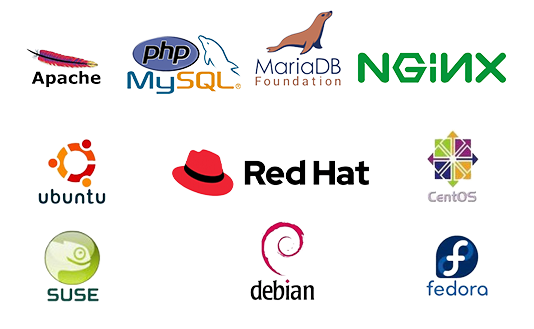
✅ Apache or Nginx Web Server Configuration
✅ PHP 7.xx / PHP 8.xx
✅ PHP-FPM
✅ MariaDB / Mysql Database Server
✅ Redis cache
✅ PHPMyAdmin
✅ Web mail access (RoundCube, Horde, Squirrelmail)
✅ FTP Server
✅ PHP security with IonCube Loader.
✅ Firewall / Server Security Configuration
✅ Fail2ban Configuration (ssh)
✅ SSL certificate Free/ Paid Installation
✅ SPF Setup similar with Existing Configuration.
✅ DNS Configuration
✅ DKIM Setup similar with Existing Configuration.
✅ DMARC Setup similar with Existing Configuration.
✅ rDNS Setup.
✅ Spam Filter setup if Requirements!.
✅ License, Server, IP and Domain Provide By Client.
Thank you for joining us for our article on our CodeCanyon Scripting Services. You will not find better resources anywhere else online. The reason why is simple: we have simplified the CodeCanyon scripting process into a few simple steps.
Deploying a new development on a website as a developer or a website owner can be potentially a time-consuming process. However, our CodeCanyon scripting service not only minimizes that time for you, but also saves your resources, as you now have to deal with one less erratic task.
Forget the times where you stressed about the installation process. With our scripting services, you can easily integrate the necessary resources into any project you’re working on without stress.
Key Takeaways
Understanding The Fundamentals Of CodeCanyon Scripts Let’s get it out on the table that if you want to thrive on CodeCanyon then there are certain fundamentals that you need to photocopy. CodeCanyon is an online marketplace that specializes in selling pre-made scripts for use in web applications, mobile applications and even graphical advertisements. If you are someone who designs websites, develops websites or is a self-made business individual then scripts from CodeCanyon will be beneficial for you because you get to choose from a myriad of scripts. What This CodeCanyon And Its Marketplace All About? CodeCanyon is a sister site of Envato Market which is an online store that specializes in digital assets. These include scripts that are used for app development or mobile development. This is a good marketing strategy as it helps developers reach a larger audience. “CodeCanyon to my knowledge is modest in its promotion system which barely gets noticed but aims to meet the demands of buyers and sellers at a reasonable price band.” Models That Can Be Sold In The CodeCanyon Marketplace Then the CodeCanyon marketplace is one for you. CodeCanyon has a large number of active users and is constantly growing so all your requirements will be met there. If you are looking for popular scripts, those can be searched and purchased in the CodeCanyon marketplace. PHP Scripts: “One of the types of scripts available in CodeCanyon is PHP scripts which are not in shortage offer extensibility to the web development as it is a widely used scripting language. JavaScript Scripts: These types of scripts offer a lot of interactive elements that are essential for today’s webpages and for mobile applications.
WordPress Plugins: These plugins relate exclusively to websites based on WordPress, and add more features and improve the existing ones of the website.
When selecting a script on CodeCanyon, it is worth checking whether that script will work in the system you want to use. Make sure that the inspected script is intended for the website framework or the website content management system that you are using otherwise there may be conflicting issues on the website.
It is important to take the requirements of server into consideration before a CodeCanyon script is installed. Factors to consider include estimated resource usage of the script, systems requirements of the script and whether they are suitable for the hosting conditions. Uninterrupted script performance and general functionality greatly relies on adequate levels of server resources such as CPU, RAM and storage.
While choosing a domain name for your project that involves the CodeCanyon script, it’s best to try to select a name that suits your business as also is simple to type. You may want to use some keywords that describe your project so that it becomes better suited for search engines. Moreover, a catchy domain name can help improve the overall user experience on the project leading to a better visibility and reputation of the website.
If you are looking for stability and security of your CodeCanyon scripts, then you must invest in a decent VPS hosting solution. A VPS or a Virtual Private Server offers resources and control that allow better performance and scalability. You should source a enterprise that provides security, backup and support to your CodeCanyon script and hosting solutions.
For CodeCanyon scripts, there are a number of service providers who would promise a smooth installation process but few excel at this. That is why we provide a quick and easy installation process for scripts for our clients, for those who have no idea where to begin. Hiring professionals in quick installation saves time and energy that can be spent elsewhere.
Putting in your CodeCanyon script is rather easy and shouldn't take much time. This walkthrough is step by step and will walk you through each stage to ensure a successful installation.
The first step is that you have to upload the CodeCanyon script to your web server. In this case, I would like to say that there nothing to do since it is as simple as looking for a file using the file manager or uploading it using an FTP client. After this, you will focus on unpacking the script, it is purely a matter of fact that this specific script is uploaded in most cases along with a ‘zip’ file. Unpacking is simple, just right click on the zip file and click on ‘Extract’.
When you finish unpacking the script, at times, you might have to run installation scripts: the installation files that you at times unpack along with the script, commence the installation procedure by creating the necessary files along with any folder, and determining the initial settings for the configuration. It is important that you follow the steps set by the script developer in regards to how to use the server to initiate these scripts.
It is also important that you change the file permissions for your scripts’ files and folders. Permissions govern who reads, who writes, and who runs the scripts’ files. Setting up the permissions is a necessity in order to make the script work as intended according to the developer, and it is indeed a necessary step. This is required for security as well as for the maintaining of the script segments.
A few CodeCanyon scripts require you to have a database for them to save and load data. AT this point of the installation process, a database should be created and set up for integration purposes.
To start off, log into your hosting control panel, or any other supported phpMyAdmin and create a new database. Then afterward, on the Configuration File of the script, set up the database settings like the db_name, db_username, db_password, and db_host.
If the database is configured appropriately, then surely your CodeCanyon script will work effectively when storing and retrieving data.
Performing the above mentioned tasks will allow you to install your CodeCanyon script on your site and begin using it more effectively. But the installation may be slightly different for each script, so feel free to check out how-to guides given by the author of the script.
When you think of CodeCanyon scripts, you ought to think of the word ‘uniqueness’. You can disassociate the various features of the script with your brand and modify it according to the needs and wants of your users. This segment will take you through script customization demo while stressing out the need of personal customization and the change it brings to the overall user experience.
After installing your CodeCanyon script, it is important to perform tasks that help in the configuration and set up of the software so that your website can function effectively. This segment will take you through this guide including SMTP and email functions configuration, Setup Third Party API, and Fix payment gateways related issues.
In order to communicate with your website users, you should set up SMTP and emailing functions, without which your communication will not be effective. If you did not set up SMTP, all website sent emails for example registration confirmation and password reset instructions may end up in junk or spam and consequently not be read by the intended recipients. With proper email functions, the communication between you and your users will be smooth, as a result, users will be more active on your website.
This subsection looks into the importance of PHP modules for the functionality of CodeCanyon scripts. PHP modules are important because they implement features and functionalities in the script. You may enhance the functionality of your CodeCanyon script by ensuring that you install and set up the required PHP modules.
As such, it paves way towards how the documentation that the author attaches to the script particularly in terms of the modules that the users should install is critical. By taking this approach, you are guaranteed to offer a flawless CodeCanyon script to your users who will be able to use the advanced features of the application.
To achieve this, it is critical that you optimize your CodeCanyon script so that it can perform all its functions without any headaches. This means that performance, loading speeds, and user interface response time among many other factors need to be addressed.
Caching refers to the use of some information or file that is part of your script but which does not need to be obtained each time a request is made by a user. When caching is activated, it is possible to reduce loading times dramatically and improve the performance of your script.
As we mentioned in our earlier sections, The caching mechanisms in a user’s browser are time savers and more efficient in the sense that a script is automatically selected instead of the raw file being regenerated every time a user goes over a page. If you wish to use caching in your web pages, you can either employ widely used caching plugins or simply set cache headers and directives on your server.
Constant changes also an important thankyou and this is a typo words for optimal functioning of your CodeCanyon script. Changes are important in security, bug fixing and so many new developments in terms of features and functionality. All of the expansion that is possible is why, what good is your script when it is weak and juicy with vulnerabilities.
SEO is not only about the technical side of the script, how it can be optimized on different levels to improve the script on marketing levels. You can also promote your script by appearing in the viewed pages of search engines. More views, more traffic.
During the installation of CodeCanyon scripts, you will or may face several issues that may require fixing. Certainly, it can be routine script challenges when looking for help but the end result may as well be worth it.
Error messages will easily point you to the likely cause of the problems around installation. Here’s how you can understand error messages and debug the script installation in a better fashion:
Admin Panel Access and security are equally important in guaranteeing security and effectiveness of your website. Here are a few points to note:
Let’s walk through the problems and the solutions together, while we assure a successful and easy installation of CodeCanyon scripts without compromising on the safety and operations of your website.
In this section we’ll discuss the vital support and sustaining services offered for CodeCanyon scripts. It is great to have these scripts in your website, but it is even better to have the capability to contact technical support, fixes as well as frequent updates for the smooth running of your script.
Opting out a service provider that will give you knowledge on such strategies, you could be certain that your CodeCanyon script is secure. The service providers that offered their assistance to you have sufficient knowledge and experience that would help you in different problems, promote your script and even assure you of you
Our certified CMS specialists are ready to inspect and optimize your site today.