
Hybrid Cloud & Multi-Region VPC
Connect on-premise hardware to AWS, Azure, or GCP with secure WireGuard/IPsec site-to-site VPN tunnels.


Looking for a reliable service to install and set up Google Cloud on your VPS? Our expert specializes in Google Cloud VPS installation for seamless performance.
Enterprise Cloud Platforms & Hypervisors Supported
Cloud Architecture & DevOps
Scale workloads across private, public, or hybrid environments with automated provisioning, VPC peering, and container orchestration.
Connect on-premise hardware to AWS, Azure, or GCP with secure WireGuard/IPsec site-to-site VPN tunnels.

Dynamic traffic distribution across healthy VM instances with automated health checks and SSL offloading.

Zero-trust IAM role segregation, encrypted KMS keys, private subnets, and bastion host architecture.

Cross-datacenter database clustering and automated block-level snapshots with sub-15 minute RPO/RTO.

Eliminate orphaned volumes, right-size over-provisioned instances, and implement spot instance scheduling.

Production container deployment with GitOps CI/CD pipelines, ingress controllers, and secret management.
Avoid unexpected public cloud bandwidth egress surcharges with flat-rate infrastructure billing.

No noisy neighbors or throttled CPU credits. Dedicated compute capacity reserved 100% for your apps.
Our cloud engineers act as an extension of your development team, ready to deploy code and tune stacks.
Starting at
one-time setup
Deploy Cloud VMStarting at
one-time setup
Deploy HA ClusterStarting at
per environment / month
Subscribe Cloud OpsSide-By-Side
| Feature | HostsCheap | AWS Direct (Unmanaged) | Legacy Hosting Resellers |
|---|---|---|---|
| Hands-On Senior DevOps Support | Included | +$100/mo min | Basic Tickets Only |
| Bandwidth Egress Fees | $0.00 / Flat | $0.09 / GB | Varies / Capped |
| Architecture & Security Review | |||
| Zero-Downtime Live VM Migration | Self-service | ||
| Custom Hypervisor Tuning (KVM/ESXi) | |||
| Monthly Billing Predictability | 100% Fixed | Unpredictable | Hidden fees |
Enterprise compliance frameworks implemented across physical infrastructure, network isolation, and encryption keys.
Customer Stories
“Our AWS bill was spinning out of control. HostsCheap re-architected our EC2 footprint into hybrid compute, cutting our monthly cloud bill by 54% while speeding up response times.”
“Deploying our VMware cluster with their team took less than 48 hours. They migrated our legacy Windows and Linux workloads with zero data loss.”
“Their SRE team alerted and resolved a replication lag issue before our own internal alerts fired. Remarkable monitoring expertise.”
Get expert support for your Google Cloud migration. Install and set up your Google Cloud environment with ease. Contact us for professional assistance. Looking to install a VPS on Google Cloud? Our Google Cloud install service can help you with Google Cloud VPS setup. Get started today.
An instance is a virtual machine hosted on Google's infrastructure. You can create an instance or create a group of managed instances by using the Google Cloud console, the Google Cloud CLI, or the Compute Engine API. Now that we have gone over instance types and capabilities–it's important to learn how to get started with your Instances. By using the services provided by Google Cloud, you can manage your instances greatly and work comfortably from anywhere.
Cloud computing has become extremely popular these days. The ability to offload your IT infrastructure to someone else is a tempting idea for anyone who doesn't want to worry about server maintenance on a daily basis. Who really wants to worry about things like updating your OS and tweaking its configurations?
More Deatils Free Zoom Meeting
$300.00 USD One Time Setup Fee
GigID : CS-GCLVMI-204 Delivery 03 Days
Are you looking for an ideal Google Cloud Linux VM instance Installation Support provider? Do not look any further as we have the answer to all your troubles. Full-featured Google Cloud Linux VM instance Installation at reasonable prices. Looking for a fully managed Google Cloud Linux VM instance installation? While many technologies allow you to reduce the physical footprint of your servers, Google Cloud provides all the tools and services to outsource your infrastructure projects in a secure way, and scale them up quickly and efficiently.
✅ Installation Any Open Source or cPanel in VPS/DS Server (without Control Panel )
✅ 1 Domain Setup
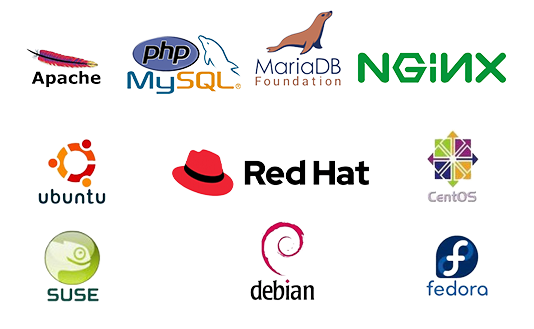
✅ Apache or Nginx Web Server Configuration
✅ PHP 7.xx/PHP 8.xx
✅ PHP-FPM
✅ MariaDB/Mysql Database Server
✅ Redis cache
✅ PHPMyAdmin
✅ Web mail access (RoundCube, Horde, Squirrelmail)
✅ FTP Server
✅ PHP security with IonCube Loader.
✅ Firewall / Server Security Configuration
✅ Fail2ban Configuration (ssh)
✅ SSL certificate Free/ Paid Installation
✅ SPF Setup similar with Existing Configuration.
✅ DNS Configuration
✅ DKIM Setup similar with Existing Configuration.
✅ DMARC Setup similar with Existing Configuration.
✅ rDNS Setup.
✅ Spam Filter setup if Requirements!.
Thank you for using our Google Cloud Install Service. This guide will allow you to follow various Google Cloud services install and their related information in detail. From an individual wanting to use the cloud services to a business owner who is planning to use the power of the cloud, it doesn’t matter what the user’s orientation is, this guide allows you to start using the services of Google Cloud Platform within just a few minutes.
In addition to noting that Google Cloud Platform allows for storing information, computing power or even the use of machine learning algorithms, it is also able to note that these are the main tools available for businesses and people to make the most out of cloud technologies. One of the finest things about Google Cloud Platform is that with it, you can have all of the benefits cloud services should provide, such as security, scalability, as well as cost-effectiveness.
Key Takeaways:
First of all, do create an account with Google Cloud, which will allow you to know and use the functionalities Google Cloud offers.
Another thing to fix before starting to use Google Cloud through CLI is setting the settings to include a default project ID, compute zone and region.
So you’re ready to enter the world of Google Cloud Platform, huh? In this particular segment, we will provide a proper overview of Google Cloud Platform and showcase some of the array of cloud services and computer power it possesses.
Cloud storage has fundamentally changed how organizations and individuals save, retrieve, and utilize data. As one of the key players in cloud space, Google Cloud Platform has a lot of services to cater to your requirements.
Thanks to Google Cloud Platform’s machine learning abilities, you don’t need to worry to much about artificial intelligence and data analytics. Whether predictive analytics, natural language, or anything else, Google Cloud Platform has got you and all the businesses you can become.
Another important benefit that Google Cloud Platform provides is cost savings. By using cloud services you can then cut down on your infrastructure costs and only pay for the resources you actually use. This flexibility of scale allows businesses to cut costs and more effectively use their resources.
It doesn’t matter if you are an owner of a small business, a software developer, or an enterprise, Google Cloud Platform offers you an entire range of cloud services suitable for you. It doesn’t matter if you need to process data, store it or perform machine learning operations, Google Cloud Platform is here for you.
Setting up an account on Google Cloud is not complex rather a simple activity that gives you opportunity to the hordes of services and utilities provided by the Google Cloud Platform. Regardless of being an enterprise that wishes to exploit the potential offered by the cloud or just an individual who wishes to learn more about the latest technology, setting up an account on Google Cloud is the very first step for you to broaden your horizons.
On google.com/ Cloud there is a free trial package for users who want to test out the capabilities of the platform without putting in any money at the start. To enjoy the trial, every user gets $300 in credit that can be used for all Google Cloud Products under a defined trial’s timeline. The user testing this out does not have to pay subscription fees. This is a great period to test different features and services that come along with Google Cloud.
Managing Google Cloud accounts and services is achieved through Google Cloud accounts and services through the Google Cloud Console which also happens to be the user interface. Google Cloud services can be effectively managed and utilized if the layouts and functionalities of the console are properly understood – in fact that is one of the important things that you would have to do. The console acts as a built in index, enabling you to easily navigate between different pages and features of the app including the dashboard, project settings, and many others.
How to Set Up Your First Project in Google Cloud.
To get started with creating particular projects in the Google Cloud, go to the Google Cloud Console and log into your account. To make your first project, after you’ve logged into your account, do the following:
As we successfully finished creating the project, now you will be taken to the project’s dashboard within the Google Cloud Console. Congratulations, you have now created your very first project out of the many available options provided in Google Cloud.
To better assist you in managing the projects within Google Cloud, project IDs and project names are critical elements. Below are details related to their usefulness:
Project ID: This part depicts the Project ID and it is worth noting that the project id is a type of project identifier, which serves a high degree of purpose. This is an android device. A project id is a unique project identifier that is assigned to every project that is being created by the user and uses the Project name which is a self-define term to carry out project designation. Project numbering assists localized project management in issuing communication to the management head and deploying objectives over sundry centers. Briefly put, project IDs must be short and relevant to the project’s or ID’s underlying meaning.
Project Name: The documents contain significant entries serving as a valid reason for endorsing project commencement. When Creating a ‘new’ project it is important first to name the Project as it helps the management assigned to overlook a single project from a large number of projects and It helps in knowing the purpose of the project also. In short, the project’s name should ideally be straightforward enough to provide purpose or scope to the project.
As far as Google Cloud is concerned, resource access and management are aided by project identification. The amount of time that is consumed in search of project assets is decreased and this means that you now have the possibility of focusing on more important things. Anyway, there is no other reason not to use clear, project-identifiable IDs and names With meaningful project IDs and names, it is even easier to manage multiple projects in Google Cloud and benefit fully from all resources offered.
In order to take the most out of the Google Cloud Platform, it is necessary to turn on the right API's. Activating API’s allows one to use different functionalities of the Google Cloud services. One such important API is that the API of the Compute Engine which provides maximum computing resources for you.
Only if APIs are activated will it allow one to use Google Cloud Platform fully as well as access its services without any interruptions. When you enable API’s you are able to use a number of features and functionalities which makes cloud computing better. API’s help you in reaching out to different services as storage, computing, machine learning and others.
To enable Compute Engine API, kindly follow these instructions:
Enabling the API allows you access to computing resources and features such as Virtual Machines and other tools that can be useful for your projects. This is an API that can surely help you optimize the performance and scalability of your applications based in Google Cloud Platform.
Choosing the Appropriate Installation Package
While getting Google Cloud CLI, ensure that you get the correct installation package that corresponds to your operating system. Google Cloud has various download sources for different platforms in order to make the installation straightforward. It is advisable before moving on to installing to first ascertain the prerequisite conditions and the installation package to get depends on your system.
Choosing the appropriate installation package can be done in the following ways:
By downloading the correct package, you assure that the Google Cloud CLI is suitable to your system and you can simply work around it effortlessly.
Authentification de gcloud CLI
Ainsi, d’abord Authenticating gcloud heads the authorisation and verification step by linking the gcloud CLI to a Google Cloud account so that the Cloud Interface will have a valid connection towards several Google Cloud services including the management and interaction towards his resources in a secure setup..
Setting up gcloud CLI
Another setup that is crucial to your use of Google Cloud Platform is the setting up of gcloud CLI. This is particularly important as proper configuration of the gcloud command line allows one to speedily issue commands and organize ones resources efficiently. In this section, we will show how the default project id can be set and how the default compute zone and region of the project can be selected.
Setting Default Project ID
When executing commands, a default project ID can facilitate google cloud resources. In a situation when the gcloud CLI is set up with the preferred project ID, in a varying context, and scoped in a project, it becomes easier to reach out to and communicate with the required resources. This way commands don't have to be directed within timeout circumstances toward a particular project when significant time is extended.
Setting the Defaults - Default Deployment Project ID - The defaults configuration allows it to default in a particular deployment project. On the terminal or command prompt type:
gcloud config set compute/zone [compute zone]
Press Enter and type:
gcloud config set compute/region [compute region]
That is all, The default set project ID, compute zone and region allows resources to be provisioned without having to be constrained to a particular location.
Choosing the Default Deployment Centr - Choosing the default deployment center becomes a critical aspect effectively managing resources within Google Cloud. By defining particular defaults, it is even possible for limelight provisioning to get deployed in specific areas, which in simpler terms translates to better efficiency while performance time reduces.
On the command prompt:
gcloud config set compute/region [compute region]
The region command is set:
gcloud config set compute/zone [compute zone]
The center command is set:
Setting the default project ID, compute zone, and region within the gcloud CLI, allows faster execution of commands while also easing the overseeing of resources. These setups assist in guaranteeing that your commands are performed in the selected project and resources are located in the right areas of the world, thereby minimizing the complexities of working with GCP.
Automated Deployment using GCP Templates Here we will discuss the capabilities of Deployment manager in Google Cloud. Deployment manager is a Google Cloud service that lets you deploy and manage infrastructure resources in Google Cloud without doing them manually. Automated deployment means that infrastructure is provisioned and configured in a predictable and replicable way, reducing time and accidents.
Google Cloud Install Service for Data Management This subsection describes how the Google Cloud Install Service can dramatically improve the capabilities of data management. It stresses two aspects - the features of Cloud Storage Buckets and the lack of GPUs for data scientists. These capabilities support efficient data storing, organization, processing as well as analysis which makes Google Cloud then become a conducive platform for machine learning and data related works.
Hence, the statement above is correct that Google Cloud Storage has both characteristics and I’ll explain each characteristic further in this section. Google provides Cloud Storage Buckets on its cloud computing platform, which is a part of its Google Cloud Storage service. Cloud Computing is a technology that allows the user to remotely store and manage data and files on the internet instead of using local servers or computers. Cloud Storage stems from the technology known as virtualization. It works in such a way that infrastructure resources such as hardware are abstracted, distributed, and pooled through the civilization of the hardware into a “cloud” or network, which allows for optimal usage of those resources. Restrictions on data storage are foreseeable due to Cloud Storage Buckets’ number of built-in features such as usage analytics and access logs, permitting rapid and secure data retrieval. Most importantly, it brings peace of mind to firms by allowing them to possess huge amounts of data with redundancy and easy file distribution. Multi-cloud storage supports both structured and unstructured growth. It will be a great advantage when data needs to be organized and stored under different categories.
Your superordinate goal should be to locate the safest Google cloud environment. For businesses that operate in any industry on or off the web, this aspect is crucial as it allows them to defend their data cultivars effectively using a number of techniques. For managing permissions and roles while using IAM (Identity and Access Management), it is recommended to adhere to best practices ensuring reliable access control and increasing security for Google Cloud as a whole.
Google cloud billing is directly related to the billing accounts. A billing account is basically the central hub of billing operations within Google Cloud App. A billing account is in relation to your google
Schedule a free architectural consultation with our senior cloud infrastructure engineers today.