
Nginx & Event MPM Tuning
Worker connections, keepalive pools, epoll event loops, and buffer sizes calibrated for heavy visitor loads.


Looking for configure LetsEncrypt for your webserver and renew certificates with Nginx. Includes instructions for wildcard SSL certificates.
Optimized Web Server Technologies & Accelerators
Full-Stack Performance
Eliminate server bottlenecks, optimize database query execution, and cache assets close to your visitors.
Worker connections, keepalive pools, epoll event loops, and buffer sizes calibrated for heavy visitor loads.

Dynamic innodb_buffer_pool sizing, query cache retirement, thread concurrency limits, and slow query profiling.

Zero-RTT session resumption, OCSP stapling, and modern TLS cipher suites for instant SSL handshakes.

In-memory key-value caching offloads up to 90% of dynamic database queries for sub-second page rendering.

High-ratio byte stream compression reduces text payload transfer size by up to 80% without CPU spikes.

On-demand worker spawning prevents 502/504 gateway timeouts during sudden viral traffic surges.
Low TTFB and fast LCP directly increase organic Google search rankings and customer engagement.

Squeeze 3x more traffic capacity out of your existing hardware before needing to upgrade server sizes.

Say goodbye to 502 Bad Gateway and 504 Gateway Timeout errors during marketing sales campaigns.
Starting at
single service
Order Quick AuditStarting at
full server tune
Start OverhaulStarting at
per month / server
Subscribe GuardianSide-By-Side
| Feature | HostsCheap | Default Stock Server Config | WordPress Caching Plugins |
|---|---|---|---|
| Average Dynamic Page TTFB | 35ms - 75ms | 450ms - 1200ms | 200ms - 400ms |
| MySQL InnoDB Buffer Allocation | 70% Memory Tuned | 128MB Default | N/A (No DB tune) |
| HTTP/3 QUIC Protocol | |||
| PHP OPcache JIT Enabled | |||
| Handles Viral Concurrency Spikes | 10,000+ Req/sec | Crashes ~300 Req | Plugin Overhead |
| Before & After Benchmark Report |
Optimization done right never compromises security. Every tuning profile retains rigorous isolation controls.
Customer Stories
“Our WooCommerce catalog used to take 2.4 seconds to load product filters. After their MySQL and Redis overhaul, it takes 180ms. Sales jumped 22%.”
“We were getting 502 bad gateway errors every time an email newsletter went out. HostsCheap tuned our PHP-FPM pools and the server didn’t even flinch.”
“Before hiring them, we were about to spend $400/mo on a dedicated server upgrade. Their $89 tuning made our existing $40 VPS run like lightning.”
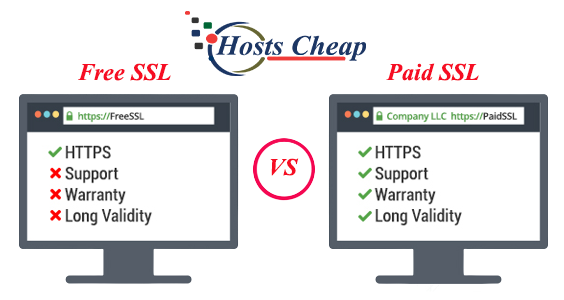
Safeguard your domain with ease using our Let's Encrypt certificate install service. Quick, secure SSL setup for your peace of mind. Learn how to configure your webserver with Letsencrypt, including wildcard setups, Nginx integration, and seamless renewal services.
$80.00 USD One Time Setup Fee
GigID : LSS-SSLI-804 Delivery 03 Days
A Cloud-Hosted Collaboration Software and Email Platform. Zimbra Collaboration is an enterprise-class solution for company collaboration with email, calendar and file sharing tools. That Integrates With Proprietary Business Solutions.
Install SSL Certificates:
✅HTTP to HTTPS redirection.
✅Fix green padlock issues
✅Full Strict Mode (High-Level Security)
Supported SSL Certificates:
✅Domain Validation (DV)
✅Wildcard
✅Multi-Domain
✅Let's Encrypt/Comodo
Services Provide To :
✅Dedicated/VPS linux Servers.
✅Control Panels: cPanel, Plesk, Centos-control panel,
✅Web Servers: Apache, Nginx, LAMP,
✅Magento ,WordPress / E-commerce,
$80.00 USD One Time Setup Fee
GigID : LSS-SSLI-804 Delivery 03 Days
Install SSL Certificates:
✅HTTP to HTTPS redirection.
✅Fix green padlock issues
✅Full Strict Mode (High-Level Security)
✅Permanent SSL Certificate (Lifetime expiry)
Supported SSL Certificates:
✅Domain Validation (DV)
✅Wildcard
✅Multi-Domain
✅Let's Encrypt/Comodo
Services Provide To :
✅Dedicated/VPS linux Servers.
✅Control Panels: cPanel, Plesk, Centos-control panel,
✅Web Servers: Apache, Nginx, LAMP,
✅Magento ,WordPress / E-commerce,
$80.00 USD One Time Setup Fee
GigID : LSS-SSLI-804 Delivery 20 Days
Install SSL Certificates:
✅HTTP to HTTPS redirection.
✅Fix green padlock issues
✅Full Strict Mode (High-Level Security)
Supported SSL Certificates:
✅Domain Validation (OV & EV)
✅Wildcard
✅Multi-Domain
✅Let's Encrypt/Comodo
Services Provide To :
✅Dedicated/VPS linux Servers.
✅Control Panels: cPanel, Plesk, Centos-control panel,
✅Web Servers: Apache, Nginx, LAMP,
✅Magento ,WordPress / E-commerce,
Do you want to protect your domain quickly? Through our Let's Encrypt certificate installment service you can protect your domain easily. Our service enables swift and secure SSL installation thus making you at ease. We have got you covered even if you don’t have shell access. Continue reading to know more about the Let's Encryption service and how it would be beneficial for you.
Key Takeaways: -
Understanding Letsencrypt Webserver Configuration and ACME Protocol Let’s securely encrypt data on the web through Let's Encrypt and TrustID. A domain name serves as an address for the server’s computer and websites. An SSL certificate helps to validate the domain's ownership and verifies that the domain works correctly. With that in mind, let's understand more about the acme core protocol while Ssl encrypting data and assist web users with more security and two-way secure verification. One of these functions is the use of the automatic certificate commissioning environment sequence pendant.
Let’s Encrypt has emerged as a popular certificate authority among its users as it has a clear purpose of eliminating the cost barrier with the help of SSL certificates to every website owner. Through the use of free SSL certificates, Let’s Encrypt makes it easy for SSL to be embraced since the cost of securing the sites is no longer there.
Another notable aspect about Let’s Encrypt in regards to the issuance of the certificates is the ACME protocol. It allows automated domain control validation thereby making sure that SSL certificates are only issued to people who are supposed to have them. This protocol assists in making the whole process of certificate issuance easier.
Proving ownership of the domain is one of the many stages involved in obtaining a certificate from Let’s Encrypt. It is where you show that you own and can request SSL certificates of a certain domain. This verification step plays a pivotal role in reversing the issuance of too many certificates and the entire SSL space.
It is worth mentioning that Certbot is the recommended pick when it comes to choosing an ACME client for the purposes of Let’s Encrypt certificate management. Certbot assists in the issuance and installation of certificates and provides options for their manual or automatic renewal. But, if one finds Certbot not very useful for their purposes, other ACME clients are there as well. Now, let’s discuss the properties and advantages of Certbot as well as other options that can be associated with ACME clients.
Being anonymous while using the internet is not a luxury, it is a necessity. That is why it is extremely important to use a secure web browser that is privacy respecting and is supported by a certificate authority. Our goal is to eliminate this grave concern with our services. Therefore, a secure web browser is essential in order to never have to worry about the government or someone spying on you. Using our services which are free of charge and extremely easy will let you forget about getting spied on when you are using the internet. Apart from using a secure web browser, it is also necessary to use the right format of the webserver configuration file to be able to utilize maximum security. We know that not everyone is a tech wiz and it can be overwhelming for a few which is why we are there to help you out along the way. Naturally, it has to be this way that if our work promotes a more universal understanding of internet safety and security while making it more accessible, then it is worth incorporating our suggested web browsers into everyday use and recommending it to your relatives and friends.
To make sure that you have a safe and person-friendly internet browser, it is important to use the Let’s Encrypt free certificate. The Let’s Encrypt project is known to a lot of people as it is an initiative which allows the owner of a website to create SSL certificates for the domain and allow for authenticated and encrypted connections between the users of the site and the server that hosts it. Whenever webmasters apply for the Let’s Encrypt certificate, it permits them to make sure that their SSL certificate never gets expired thus providing continuity in the security and privacy of the website. Furthermore, Let’s Encrypt also provides webmasters the facility of easy renewal of the certificates thus ensuring smooth usage for the customers.
Certbot: The Suggested ACME Client
Certbot is endorsed and recognized as one of the most popular ACME clients by webmasters and those looking after their Let’s encrypt certificate. Its ease of use does not require the user to have much knowledge about the technicalities of the system. Certbot also provides many friendly helpers for its new customers: Once set up, Certbot does it all by itself, ordering, installing and renewing the SSL certificates as needed.
Certbot comes with a number of benefits and advantages, which include the following:
Certbot also allows for certificates to be more refreshed automatically or manually enabling a level of convenience.
Moreover, many people find Certbot very useful since there is variety of documentation dedicated to it and also a large audience who possess the knowledge necessary to help.
Considering how straightforward Certbot is in installing and using I can see as to why it is the ideal option for most people.
Alternatives to Certbot Configurations and adjustments in ACME clients Settings and configurations for ACME clients shouldn't be much of a hassle as there are a wide variety of these clients.
One thing to note is that when using other ACME client, you will have features that are enabled which are the needs of your requirements.
It might be in the clients best interest to look at the differences the other ACME clients have and pick the one that best complements their structure.
There might be instances when clients do not necessarily have access to shell and this will mean there are a few things that one needs to keep in mind. For instance, there will be criteria where one only will be able to issue and install Let’s encrypt certificates. This is not a major concern as there are only a few things that you could import yourself in your particular post. If you have shell access, use these instructions to get it using Certbot:
With the help of shell, it would be very easy to interact with the operating system of the web server while working. Even the actions which were required for installing the certbot along with all the Let’s encrypt certificates will be easier with the help of shell access. If you want to get hands on with Let’s encrypt certificates, having a shell is crucial as the required commands to run are very easy.
Using any command line tool, connect with your web_host from SSH.
For instance, on Ubuntu, you can use: To install the package update, run the appropriate on your server. Example:
$ sudo apt-get update
Running the command below will install Certbot.
$ sudo apt-get install certbot
To confirm that Certbot was successfully installed, run this command after the installation is over:
$ certbot -- version
Using Certbot, proceed to obtain as well as install your Let’s Encrypt certificate. The command varies based on the web server software you are using. If, for example, you are using Nginx, run the following command:
$ sudo certbot –nginx
Provide all relevant details as prompted to confirm the certificate installation.
Thus, in the event that you possess shell access along with the certbot, all the steps mentioned above will help you integrate let’s encrypt certificates on your web host. To be able to provide SSL coverage to your website in the long run, ensure that you also regularly renew your certificates.
Sometimes, not all web hosts provide shell access which makes let’s encrypt integration quite difficult. But, there are some methods that allow you to secure your website without permission to shell access. In this part, we will address two methods, certificates built by the provider and changing hosts.
When the shell access is not supported by the web host then provider built solutions are the best. It is a web-hosting certificate in which providers automatically complete the steps. They will request, install, and maintain the Let's Encrypt certificate, allowing your site to remain secure. This measure does not require shell access and at the same time allows you to enjoy Let’s encrypt security and benefits.
If it’s the case that the present web host, who is managing your websites, lacks support quality for Let’s Encrypt, or a decent integration solution than, changing it into some the one who does can be helpful to increase the site’s security. Try finding a host that allows seamless integration of their dedicated package for Let’s encrypt. You should have tools and features needed to enable easy integration of Let’s Encrypt and disabling shell integration would not be required.
This service has come up with the protocol that Everybody, particularly the web hosting companies do love their accounts and probably a lot of their customers would also appreciate the security of their websites. Hence the wide usage of looking for fuel for their integration, other geographies to integrate into the global economy.
Let’s Encrypt Partner Login Credentials So inserting Lets Encrypt SSL certificates into their offering becomes possible without too much strain, especially now that they have the service. As well as the installation of the certificate and that is exactly the only installation as this service takes care of providing the installation for their customers and the hosting web providers.
After hosting the website, the customers can be confident that their sensitive information is protected by Lets encrypt certificates which is the best and most powerful encryption service available. This can.Further comprehend a lot of functions such as enhancing the stability of customer’s data and heightening the relationship as well as trust are a lot of visitors to the website.
Let’s Encrypt Certificates Installation Service is fully engraved and fashioned to the design of the existing hosting providers and the control panels, therefore it is really simple to integrate. Even more so if i have a shared hosting environment which is not running on very large system or such is the case, but still the infrastructure and microservices are already in place to address such cases.
Nada más trabajar juntos, también significará estar al tanto de las nuevas tendencias y los estándares industriales en la seguridad de páginas web. Let’s Encrypt es un certificado de entidad que protege y es de gran confianza, de esta manera los webhosts pueden ofrecer sus certificados y demostrar que están comprometidos en otorgar un espacio online seguro.
Únase y comience a beneficiarse de los certificados SSL de Let’s Encypt, no deje que esta oportunidad se le pase, ofrezca a sus consumidores las ventajas que estos proporcionan. Aproveche el trabajo que hacemos juntos instalando su certificado de Let’s Encrypt para complementar la confianza de los servicios que ofrece su hosting.
Now if you are an advanced user, more passionate and in control of the work, you can opt for a manual certificate mode. This helps you to install certificates after convincingly proving domain ownership. This method also allows you to manually define areas for which a certificate is configured. Certbot is one of the available solutions for this method offering good flexibility on settings.
Executing the manual installation using certbot isn’t too complicated either, it basically involves a sequence of steps such as:
Through these steps, you can take full control of the entire certificate installation process and customize it according to your requirements.
The renewal is an unavoidable part of SSL management so a website gets secured constantly. As far as updating the certificates is concerned, it is very important to keep an eye on the renewal process. Here are some periodic requirement for renewals that should be kept in consideration:
While it may take more time to install a certificate when updating, when installed, it requires more action to be able to complete the procedure of renewal. Nonetheless, if proper aforementioned periodic requirements when attention are paid to, your website will be receiving uninterrupted SSL protection.
One limitation however is the SSL certificate's rate limit and the only way to bypass this is to use Letsencrypt Webserver Configuration staging environment. Within this environment, you can test various features and determine whether the issuance of the SSL certificate will be a smooth process when the time comes. This lets you minimize the risks of things going wrong as it allows you to check if everything works as it was supposed to in the first place.
Testing SSL certificates can be done efficiently through the staging environment due to its rate limit and one of its main advantage
Book a tuning session with our performance engineers today and watch your page load times drop.