
PowerMTA & Postal Deployments
High-volume MTA setup with virtual MTA pools, throttling pipes, and automated backoff rules for Gmail and Yahoo.


To setup and configure a reliable postal SMTP server effortlessly. Our comprehensive postal SMTP service ensures seamless mail delivery for your business.
Enterprise Mail Transfer Agents & Delivery Suites
Turnkey Email Infrastructure
Stop landing in spam. Our email delivery specialists build bulletproof self-hosted email infrastructure with automated IP warming and reputation monitoring.
High-volume MTA setup with virtual MTA pools, throttling pipes, and automated backoff rules for Gmail and Yahoo.

Full strict SPF, 2048-bit DKIM crypto keys, DMARC p=reject policies, and Google Postmaster Tools integration.

Gradual volume escalation schedules programmed to build positive sender reputation with major mailbox providers.

Automated handling of hard bounces, transient errors, and FBL spam complaints to keep contact lists clean.

Full campaign manager installation with tracking domain SSL, custom headers, and transactional API integrations.

Strict rDNS (PTR) matching hostnames and continuous real-time monitoring across 100+ global spam blacklists.

Send millions of emails per month for the flat cost of your VPS rather than paying per-contact SaaS fees.
Own your dedicated IP pool without sharing risk with bad senders on shared email networks.

Eliminate arbitrary third-party daily send limits and customize every header parameter to your exact campaign needs.
Starting at
single server setup
Order SMTP SetupStarting at
complete engine
Deploy Pro StackStarting at
per month / pool
Subscribe Delivery OpsSide-By-Side
| Feature | HostsCheap | SendGrid / Mailgun ($$$) | Shared cPanel Webmail |
|---|---|---|---|
| Monthly Cost for 1,000,000 Emails | ~$35 (Flat VPS) | $450 - $800/mo | Blocked by Host |
| Dedicated IP Reputation | 100% Dedicated | Paid Tier Only (+$90) | Shared with 1,000s |
| Custom DMARC & BIMI Setup | Included | Self-configured | Limited |
| Arbitrary Account Suspensions | Never (Self-Hosted) | Common Risk | Very High |
| Automated Bounce & FBL Handlers | |||
| Custom PowerMTA Routing Config |
We enforce strict cryptographic authentication and reputation safeguards to ensure mail passes rigorous modern ISP spam filters.
Customer Stories
“We were paying SendGrid over $1,200/mo for our SaaS notification emails. HostsCheap deployed Postal on a $40 dedicated box and our inbox rate actually increased.”
“Their PowerMTA configuration solved our Gmail spam folder nightmare. They set up proper IP rotation and backoff rules. Mail-tester score went straight to 10/10.”
“Setting up MailWizz with multiple SMTP servers seemed daunting until their team handled it in one afternoon. Running smoothly for over a year.”
Unleash email potential with our Postal SMTP setup service. Expert guidance to configure your server for unlimited sending with ease. Learn how to set up and configure a reliable postal SMTP server for your mailing service. Follow our comprehensive guide for seamless postal SMTP configuration.
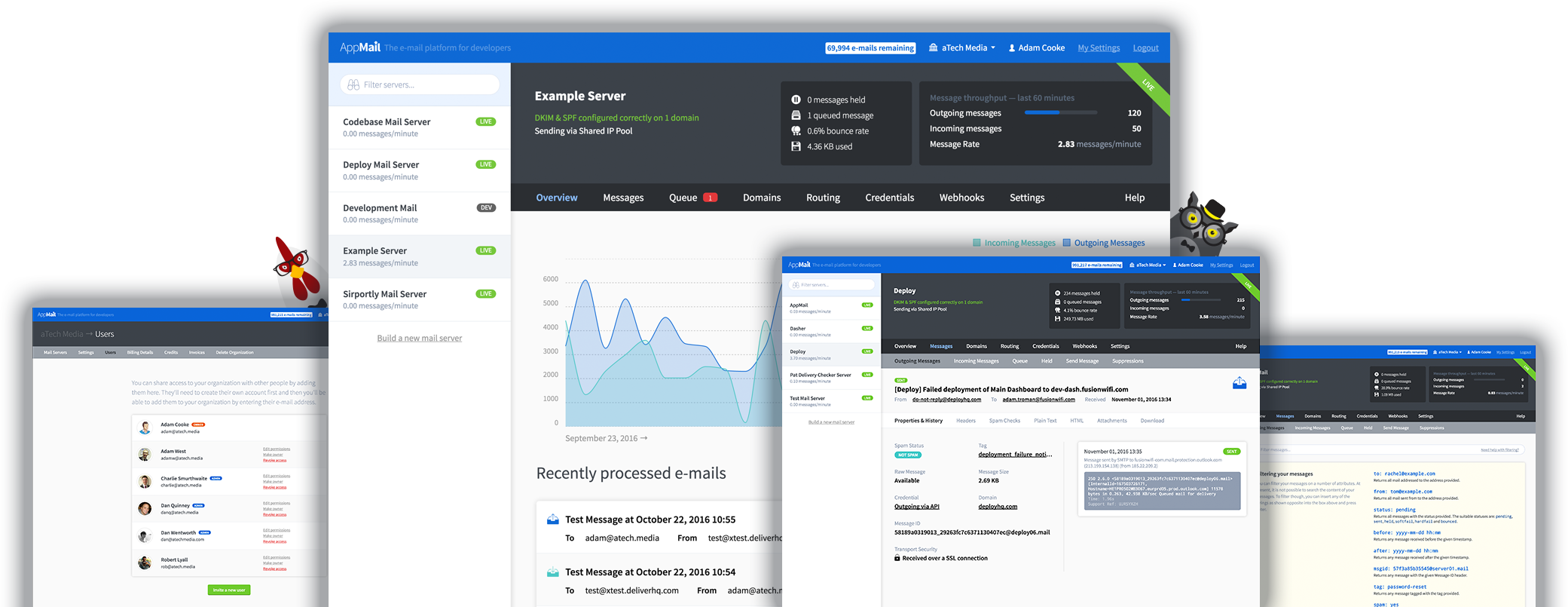
$300.00 USD One Time Setup Fee
GigID : BEMS-POSTLI-106 Delivery 05 Days
Postal is a mail server for your website that allows you to take full control over your email communications. No matter what size your business is you can benefit from using the best email marketing software available. It's complete and fully featured mail server for use by websites and web servers. It provides easy, secure integration into your application and needs little to no maintenance. As an open source project it distributes all features for free with no extra charges or time limitations.
✅ License, Server, IP and Domain Provide By Client
✅ Domain 5 and Rotation Setup for up to 24 IPs
✅ PowerMTA or Postal SMTP
✅ Setup Multi Domain Control Panel
✅ Email Reply and Forwarding via Webmail
✅ Complaints about Bounce Handling / Abuse (PMTA)
✅ Set Up the Bounce, Delivery, and Feedback Loop Servers for Cron Jobs.
✅ 1.1 M Spam/Blacklist Database (PMTA)
✅ MX Rollup 5000 which is helpful Delivery to Inbox (PMTA)
✅ SSL certificate Installation (Paid SSL | Free SSL )
✅ Configure rDNS, DKIM, DMARC, and SPF Using the Current Configuration
✅ Firewall and Fail2ban Configuration (ssh)
✅ Unlimited from Email Address
✅ Communicate a score of 10/10 on mail-tester.com (IP and domain not blacklisted).
✅ Real-time training specifically focused on platform management is available as an optional choice.
Order Support Free Zoom Meeting
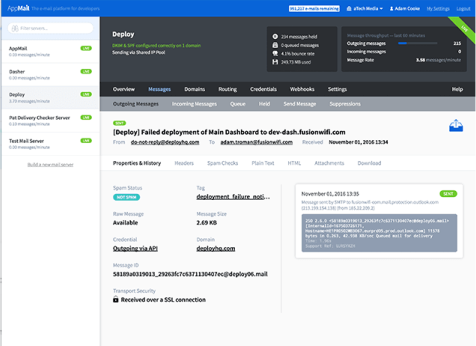
Website development has been realigned with modern trends and best practices that the majority of users expect nowadays. The competition is big, but the company Postal has developed unique solutions, with which it will be easier for you to conquer website space and client targets. Remember, with us all issues concerning your emails will be left in the backdrop. Our Postal SMTP setup service has been designed keeping in mind your needs and expectations, as it is easy to use and effective. Our service does not discriminate between beginners or more advanced users, as all we wish for is enhancing your company’s email deliverability. With us, the limit is the sky.
The company Postal has combined complex online marketing strategies and user-friendly email features. Whether you are a beginner or an advanced user, with Postal you will be given all necessary support which will provide all needs required for optimal boosting of your email processes. We will solve your needs regarding communication purposes, and you will be provided with an unmatched email environment that will always guarantee good branding.
Key Takeaways:
Importance of SMTP in Email Communication SMTP, which stands for Simple Mail Transfer Protocol, is a globally accepted standard for dispatching mails. It’s a collection of policies that controls how e-mails are transmitted and received via the internet. SMTP is of great importance in email communication, as it makes sure that an email message is delivered from the sender to the mail server of the recipient. SMTP acts as a go-between which is dependable which is between the user server or client’s and the email server of the person that needs to receive the email. It takes care of the message transfer by contacting the mail server of the intended person and places the message into the right folder. This way, the email gets to where it was sent, and it can be taken by the person who needs it. The following are some of the paramount advantages which SMTP give to email communication: - Emails are also able to be sent in a timely manner owing to the fact that they are sent through SMTP and if there are any delays, they are kept to the procedures or communication stand point.
Standardized protocol: SMTP makes it global considering all email applications as it works under one principle. This opens doors to endless possibilities of communication on a greater scale.
Authentication and security: SMTP has authentication features such as SMTP AUTH to proof (for example) that the email was written by the person mentioned and this avoids hacking and advertisement spam.
Error handling: Delivery problems can be helped with the use of SMTP error codes and responses further facilitating communication through emails that are easy to understand.
In the 21st century, email exchanges have become equally as important as a tool for running a business as are the employees themselves. Everyone using emails should be aware of SMTP and its functions concerning email purpose. If SMTP is utilized in the right manner, companies can use it to widen the reach of their emails and enhance interaction with the clientele and maintain good relations with them.
We will now proceed to the basic configuration of Postal SMTP on your web application in the next section.
Integration of Postal SMTP to a web application is crucial for that system to be effectively used for email communication. The procedures involved might differ from one framework or programming language to another. Here are a first few places worth looking into:
After performing all these functions, your web application should be able to send and receive emails through Postal SMTP. Be sure to follow the instructions provided by Postal SMTP documentation as well as seek help from them should you have problems during the time of configuration.
Note from the Expert: Regularly checking your email logs and stats is always a good idea so that you know that your emails are being sent.
Configuring Postal SMTP for your web application helps to enhance your email communication as well as guarantees delivery of your emails. Allocate enough time to configure your server properly and benefit from efficient and effective email communication.
Configure your SMTP settings in the Django settings of your file.
Integrate the configured SMTP Settings with the Django email module by sending them a test email.
While choosing a suitable Postal Smtp for your business, there are some essential factors that shouldn’t be overlooked. Here are some of them:
International Coverage: Most Postal Smtp service providers operate on a global scale which means your emails will not be delayed and reach people from anywhere across the globe regardless of the distance. Be sure to select such a service provider.
Custom Metadata: It is important to get a service which allows users to modify certain elements as this may include adding tracking pixels or some other relevant information to help organize the messages sent out.
Tracking: Go for a service that has advanced tracking features to help monitor the activities carried out on the message. Knowing the open rates, click rates and other metrics is essential for developing efficient email campaigns.
“How effective a business will be able to communicate via email completely depends on the postal smtp service they select. Certain factors such as international coverage, custom metadata and message tracking should be absolutely considered.”
Email deliverability can be improved, emails can be communicated on a more timely basis and email campaigns can be organized in a systematic manner by selecting a postal smtp service that is suitable to the needs of your business.
Disbursement of the Advanced Postal SMTP Tags and Custom Headers
The communication technology that utilize Postal SMTP has advanced features. These features allow for improvement in pushing or communication through emails. Tagged and custom headings are great ways in improving communication control and speeding up processes.
Tags
Postal SMTP uses tags feature for email dispatch where emails sent are tagged for tracking purposes1. This tagging system allows for bolstering of customer emails sent when headers are customized for title, different tags allow for better organization. More so, rebuilding of campaigns becomes easy to follow when campaigns are organized through tags. Tags can also help out with the management of customer service or help desk ticket replies, or other common email interactions you may have.
Custom headers allow for more precise control of the emails and its contents. For instance, when an email is forwarded, there is an option of alt heading which provides identification for tracking and analyzing for business purposes A good example in this scenario can be ID of the campaign sent out or even tags when manual segmentation is applied. This allows for segmented or more thorough analysis through the inclusion of the campaign or source ID.
With the use of innovative capabilities such as tags and custom headers in Postal SMTP, you are able to optimize the deliverability of your emails, improve the functionality of your emails, as well as enhance the tracking of your email performance metrics.
Advanced Postal SMTP Features & Benefits
As far as SSL SMTP Authentication is concerned, developer-friendly documentation becomes important. It eliminates guess work in providing the necessary steps and outlines the major and essential instructions to effectively deploy the SMTP service. Developers need to follow the defined procedures along with fixing relevant issues at different stages to make the implementation process easy and painless.
This allows them to quickly avoid wasting time on configuring the SMTP service by giving them exact documentation that gets to the point of how developers would want to use the SMTP service. This makes it possible for developers to concentrate on other important things because they have documentation that they can rely on to direct them in moving forward in the project développeur.
- Step one: Install the SMTP library for that specific programing language - Step two: Set up all the necessary SMTP information, including host, port, username, and password - Step three: After that, Send a test email to see if the SMTP is working. - Step four: Your Email provider may make it mandatory to go through some secure sign in stage. It is necessary to do that. - Step five: SMTP may not work, so it is important to ensure that errors and bugs are taken care of in the program.
As you can see, the documentation gives a developer the easiest way to go about doing proper smtp set up there is no vagueness and everybody is assured minimum time and effort on fixing smtp related problems.
What This Article Covers Step 3: VPS Postal SMTP Server Configuration Setting Up A VPS For SMTP Postal.
The very first stage in setting up a VPS server with a full-featured mail delivery system is the construction of a postal SMTP server. This, in turn, can be achieved by implementing a free and open-source mail delivery system, which will provide the total customizable configuration of the mail server. After the server is set up, the next step is to bind the postal domain for re SMTP postal to the postal domain which involves configuring the DNS records and confirming that the server is appropriately set up to receive and send mails. With this configuration of the SMTP server, the VPS can be used to host a fully functional mail server and other cloud services including web hosting services.
While configuring a VPS Server Postal SMTP Server Configuration, it is necessary to ensure the configured email originality and the “from” domain to send is properly set. It is also paramount to warm up your server in order to maintain a good reputation and deliverability rate. So with the help of a postal installation, a free open source software, you will be able to connect to our server and create an SMTP server with postal which means you will be able to send the emails from your server. This means with the correct configuration and warm-up process your VPS server will be able to effectively send and receive emails while retaining a good standing and deliverability rate.
For VPS Postal SMTP Configuration, the first step is to log in to the postal server. Then you need to SSH to the server and launch the server in the postal. Since postal is an open source mail server, it is an indispensable requirement to create a full configuration. The smtp settings will let you log in to the postal server and let you configure the server that is required to send your emails. Postal has been designed around the need for a mail server that is super easy and simple to use, which means it can be used by businesses and individuals without any difficulty.
Additionally, a person can use the Postal software to set up a VPS server as a Postal SMTP server. Accessing the web Postal interface, users can set up using Postal and control the Postal status in a straightforward way. There is an option to create a SMTP account which can be configured on the client-level by entering a Postal password during the configuration of SMTP settings. Postal is probably the best solution for SMTP server since it accepts all ports by default except those that have been specified by the user. Therefore, it is easier and more flexible to use it to control the sending of emails.
On the other hand when selecting different SMTP service providers, it even becomes more important to compare the case of their reliability and deliverability rates. Regarding reliability, one needs to define the uptime and the number of hardware, the service provider uses to run the mail servers. Deliverability is all about the service being able to deliver the emails straight to the mail box and not end up in spam or promotions tab.
If you want to ensure that your emails get delivered on time and without experiencing any unexpected interruptions or server issues, reliability is one of the key factors to look at considering the fact that there are just too many mistakes in email delivery. When looking for SMTP service providers, try to choose them only based on the promises they make and their server uptime guarantees – that should relieve you of the chances of late emails or email non delivery altogether.
Deliverability is also an issue that should not be ignored, if you want your email communication to work properly. This means opting for a service provider that has a high deliverability rate, implying that the chance of your email reaching its intended recipient and getting opened and answered is much higher. Deliverability is achieved through the use of spam filtering technology, management of the sender’s reputation, and compliance with all industry norms.
When deciding which SMTP service providers to go with, keep in mind the following considerations:
By narrowing down SMTP service providers with a focus on reliability as well as deliverability of the service, you will create an opportunity of selecting the preferred service provider that meets your organizational objectives while guaranteeing emails reach the recipients’ inboxes without fail.
Launch your dedicated high-deliverability email infrastructure with our senior email architects today.