
Clean OS & Panel Deploy
Optimized installation on AlmaLinux, Ubuntu, or Debian with recommended production partition layouts.


To effectively install VestaCP and secure your WordPress website with VestaCP security service to prevent any potential exploits.
Supported Control Panel Ecosystems & Addons
Enterprise Server Management
Our certified Linux engineers handle OS hardening, web server tuning, firewall rules, and zero-downtime transfers.
Optimized installation on AlmaLinux, Ubuntu, or Debian with recommended production partition layouts.

CSF firewall, ModSecurity OWASP rules, and brute-force protection configured out of the box.

LiteSpeed or Nginx reverse proxy with OPcache, Redis caching, and PHP-FPM worker pool optimization.

MySQL/MariaDB buffer tuning, slow query logging, and InnoDB optimization for responsive dynamic websites.

Full SPF, DKIM, DMARC, and PTR record validation to guarantee high inbox deliverability.

Seamless transfers of accounts, databases, emails, and DNS with comprehensive pre-switch data audits.
Free your developers from routine package updates, kernel patches, and user account troubleshooting.
Fine-tuned daemons prevent memory leaks, load spikes, and resource starvation on high-traffic servers.

Real-time intrusion detection and automated vulnerability patching neutralize exploits instantly.
Starting at
one-time fix
Order Incident FixStarting at
one-time setup
Start SetupStarting at
per server / month
Subscribe Pro CareSide-By-Side
| Feature | HostsCheap | Unmanaged VPS / DIY | Generic Outsourced Support |
|---|---|---|---|
| Response SLA | < 15 Minutes | None (DIY) | 4-8 Hours |
| Root Security Hardening Included | +$50 Extra | ||
| Database & Webserver Tuning | Manual | ||
| Zero-Downtime Migration Support | +$100 Extra | ||
| Proactive Health Monitoring | Basic Ping Only | ||
| Money-Back Guarantee | 14 Days | None | None |
Every panel configuration includes our hardened security baseline to safeguard critical data against modern threat vectors.
Customer Stories
“Migrated 45 customer accounts to a new high-spec server overnight without dropping a single email or customer session. Flawless execution.”
“Our server was constantly hit by brute force attacks. Their security team hardened CSF and configured fail2ban within 45 minutes.”
“Subscribing to Monthly Pro Care was the best decision for our agency. Tier-3 sysadmins on call whenever we need them.”
Experience hassle-free VestaCP install service for your server. Expert setup for secure and efficient web hosting management. Get started today! Enhance your WordPress website security with our comprehensive VestaCP installation guide. Learn how to install VestaCP and protect your site from potential exploits.
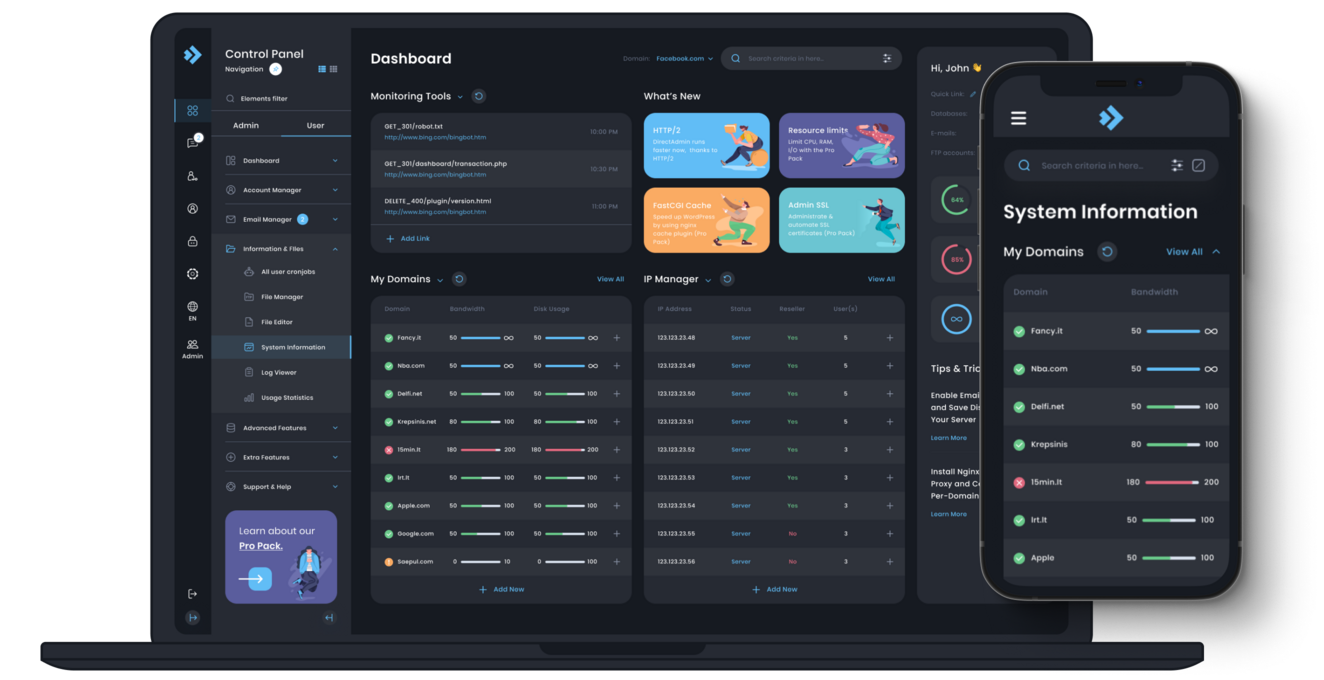
$120.00 USD One Time Setup Fee
GigID : CPS-VESTCPI-411 Delivery 04 Days
Vesta Control Panel strives to be friendly and easy-to-use. With it, you won't have to install and configure specific server components, such as Apache or MySQL. Vesta CP takes care of all of this for you, allowing you to move quickly from installation to managing your website. With Vesta, you can install a wide variety of services including Apache, MySQL, PHP, BIND, and Virtuozzo just to name a few. Like with any other control panel you have access to the logs and configuration files which are simple to navigate through and easy on the eyes. It is my preferred control panel for personal use over others such as Plesk (included on a number of web hosting plans), BIND Admin (MySQL-like user interface), Webmin (only supported in Linux) , ISPConfig (complicated), WebSphere (IBM's free version of Plesk) and cPanel Debut (version 1).
✅ Domain Setup upto 3 Domain
✅ Configure Multiple php version
✅ Improvements Security System
✅ Install Free SSL Addon
✅ SSL certificate Installation
✅ SPF Setup similar with Existing Configuration.
✅ DKIM Setup similar with Existing Configuration.
✅ DMARC Setup similar with Existing Configuration.
✅ rDNS Setup.
✅ Spam Filter setup of Requirements!.

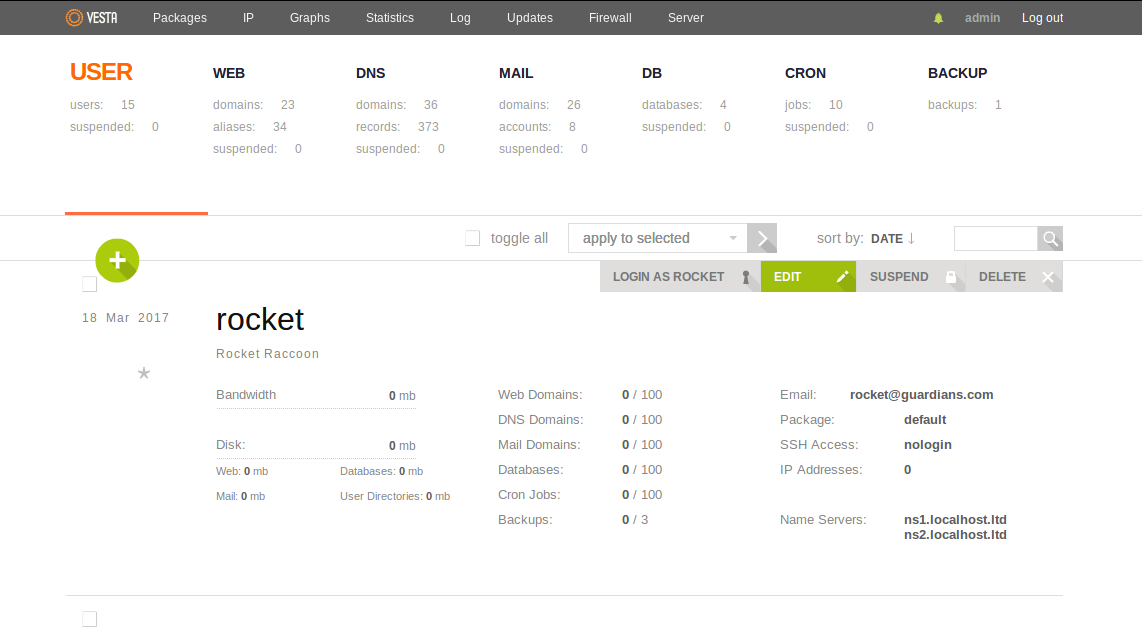
$250.00 USD One Time Setup Fee
GigID : CPS-VESTCPM-412 Delivery 04 Days
You have using Vesta Control Panel for a long time. You want to change to HostsCheap with Vesta Control Panel Migration Service. Every one of our clients is single-handedly as priceless. With our piece of advice, you will be able to use the best of ours and get wonderful service like us at HostsCheap. All hosting accounts at HostsCheap come with a free control panel migration. Several account customers asked our support to migrates their Vesta CP accounts to other CP providers located abroad. This is the very simple process:
✅ Domain Setup upto 3 Domain
✅ Configure Multiple php version
✅ Improvements Security System
✅ Install Free SSL Addon
✅ SSL certificate Installation
✅ SPF Setup similar with Existing Configuration.
✅ DKIM Setup similar with Existing Configuration.
✅ DMARC Setup similar with Existing Configuration.
✅ rDNS Setup.
✅ Spam Filter setup of Requirements!.
Thank you for picking our guide. In this particular piece, we mention VestaCP web hosting control panel and its installations in more detail. We would like to highlight the need for a trustworthy installing service. Additionally, we shall provide you with a guide on how to install and configure the VestaCP web panel.
VestaCP consolidates the control of web servers allowing the management task to be less sophisticated. The sophisticated user interface and powerful additional features make the control panel one of the best in the industry, whether you are a professional or just new to web hosting.
With VestaCP, installing your desired software is quick and straightforward. This way, the installation process is faster, and the setup is more comfortable than using other control panels. Excellent features are available once VestaCP is installed. In this step-by-step guide, you are provided with detailed pictures and descriptions ensuring that you are able to install VestaCP without any hassle.
Key Takeaways:
This part, we shall discuss the VestaCP control panel, its features and associated functionalities. In addition to that, we shall benchmark VestaCP against other common control panels and stipulate the logic behind the preference of VestaCP over these other control panels by most users. Moreover, we will look at the disadvantages of opting for a free hosting platform like Vesta CP.
VestaCP download is considered the very hearty and very productive multi-domain web hosting control panel which claims to be user friendly for its users. The product includes such helpful implements as an extremely simple and nice to look at presentation, suitable server services, and support for several domains and websites. VestaCP helps you with server settings, domain registration and management, email configuration, and management of databases and files.
The other attractive feature of VestaCP is its user friendly interface offering simple usage, which is not the case with many other control panels on the market. It has a simple and straightforward interface making it easy for both novices and experienced users. Apart from that VestaCP also competes favorably in terms of efficiency of purpose with respect to server and management performance.
VestaCP, whom’s their designs sounds like ‘Vesta control Panel’ also has a community support, and has plenty of active systems in place. A community develops and supports it, forums aid users, and provides new features and security on a regular basis. This also adds to multiple features such as options to save money to setting up a budget. Now lets hop into its advantages of open source hosting solutions :
Firstly, anyone who would like to start off, having low hosting budgets or any small organization can greatly use the services of VestaCP as it saves them a lot of money and time as it is available for free, or of very low cost. Limitations are gone now as one can directly interfere with the open source solutions as an application. You can change said application in any manner that suits your needs. If for example you run a small business that has standout hosting needs, Voila! You have the solution to your problem. The community expanding the software insures software that is reliable and of high quality.
Clear up your fears as this suggestion insures greater transparency. Open source software caters to the greater good and permits exposing the source code to the users while constantly updating on the community need basis. Overall with the premises the chances of Scam, fraud and other breaches decrease drastically, everything is in front of your eyes to ensure that no one has bad intentions. Testing and fixing is made easy as every potential vulnerability will be out in plain sight.
All in all, VestaCP can be considered as a quite simple and easy to use as well as multifunctional control panel designed for easy operation of web servers. It is a common practice to prefer such deployments because of the user friendliness and the reliability and robustness of open source hosted solutions.
Now, if we focus on VestaCP and its general experience regarding setting up your web hosting environment, then the main emphasis would remain on the install service. That is why we tend to recommend VestaCP install service with a lot of emphasis. Thus VestaCP installation services are aimed at helping you during the process of setting everything up, so that you don’t have to worry about any issue and can concentrate on your business goals, you can setup a ZoomMeeting with our team.
One of the important factors while going with a install service provider is their level of understanding regarding matters such as these. These professionals are well equipped with the knowledge of how VestaCP is as designed, and programmed, and therefore how it is installed. This means that they are not bothered even if a snag occurs, as they are able to resolve it. They can diagnose problems, check the correct setup, and even guide the users during the process of installation.
An install service must ensure that the whole process migrates data properly and most importantly, everything is done securely. Your web server and data are some of the most important assets, thus making sure that VestaCP is installed correctly must be priority one. This means that any professional install service providers will place great importance on protecting your server by setting up protocols that would encrypt your data.
Similarly, efficiency in installation must be looked at not only during the migration process. Getting a good install service means that your VestaCP configuration is going to be done correctly the first time, reducing the chance of a rollback and effectively using the resources in your web hosting environment. Making such optimizations not only improves the whole page loading experience for your users, but also cuts down the time overhead for your organization, as less time will be spent on pointless debugging and fixing issues.
This means that if you pick a good VestaCP install service, you won’t have to worry about anything, as the people who handle the application will know what to do. Therefore, the installation won’t remain a mystery for you anymore and you will have control over your web hosting environment. Hence, the customer is left with the question of why he should bother with the installation process, he simply has to find a suitable installation service.
Understanding Server Needs
The first and the most important step is the evaluation of server needs because that’s how we will get to know if VestaCP can be installed or if it will even operate in a smooth and efficient manner. To use VestaCP, the minimum requirements are as follows:
After making sure that the installation of VestaCP is possible, keep in mind that the choice of OS is of extreme importance. VestaCP allows the use of multiple OS, such as CentOS, Ubuntu and Debian. Some of the points that should be taken into consideration before installing any OS :
Firstly, register with a domain registrar to get a domain name and then take care of setting up DNS along with the domain you provided in order to ensure that there is integration between your websites and VestaCP when it is being installed.
When all these domain and DNS setup preliminaries are done beforehand, it will facilitate the whole installation steps and prevent the opportunities that your websites are not properly set up inside VestaCP.
Server Requirement RAM Disk Space Operating System Internet Connection VestaCP Install Service
1 GB 20GB 100 Gbps 2GB or more 50 GB or more CentOS 7, Ubuntu 18.04, Debian 10 and more
When selecting to use a VestaCP install service rather than installing this software yourself, it is necessary to comprehend what the service provides. Proper settings and requirements for VestaCP can be quite time consuming when setting up a web host environment.
Complete Installation security and smart settings of VestaCP Invasively Effective server optimization which focuses on basic settings Meeting VestaCP requirements Construction of DNS and Domains Identifying solutions and techniques to set email services up Providing installation and troubleshooting techniques to new users
This all makes it possible to effectively administrate your websites without having to bother about every little VestaCP detailing such as configuration and settings.
The setup of VestaCP for your web hosting environment requires a high level of expertise. The installer must have a deep understanding of the control panel and how it should be installed for the installation to be secure and efficient. They can spare you the effort of taking them through the motion of carrying out the installation.
Furthermore, an installer could advise on how to enhance the efficiency of the server and the services integrated, as well as advice on security features that could be implemented. Their professionalism offers an assurance that the installation of VestaCP has been done in relation to your expectations and needs.
VestaCP installation in a secure and effective manner is highly important as it will determine the longevity and performance of your web hosting environment. A reliable install service will emphasize on security protocols such as SSH lockdowns, firewall implements, and SSL certificates for secure communication during the installation of the application.
An appointment means the setting of the server to VestaCP standards and optimizing it to provide enhanced performance. This involves fine-tuning server parameters, utilizing the server’s resources effectively, and installing cache to enable quicker response time.
For clients utilizing the VestaCP install service, if you're worried that the setup of the hosting environment might not be up to scratch, then you needn't be because they make sure to perform the VestaCP installation securely and efficiently.
In this section, we will provide you a comprehensive guide on how you can manually install VestaCP on your server thanks to the step by step guide we will be providing below, users will be able to install VestaCP quickly and start using the web hosting management tools available.
But before that, ensure that you:
Having cleared that, let’s get started with the installation steps:
This will install VestaCP server. The installation script will bring you through the whole usage and provide you with the corresponding email, server host name, and a password.
Only wait for the installation to finish. It may require a couple of minutes.
After the installation is over, the screen will display ‘VestaCP has been installed successfully.’
To access the control panel of VestaCP, you can use the server’s IP or the domain name in the web browser.
https://your-server-ip/
You’ve done it! VestaCP has been successfully installed on the server and now you are able to use the web browser to manage domains, emails accounts, databases and other web hosting aspects through the control panel of VestaCP.
Don’t forget to update VestaCP and its components so that you will not miss any important security or feature updates.
If you’ve met problems during the process of installation or if you require something more, check the docs or turn to the community and support channels of VestaCP for assistance.
Now, let’s start optimizing your VestaCP server and configuring it in the next subsections.
With the Vesta Control Panel installed, it takes tweaking the server settings to take into consideration server performance while considering your individual needs. It is turbulence and uptime that need to be taken care of in server configuration. This section aims to assist you with the important details in setting up your VestaCP server.
First and foremost, you will need to configure your server’s Fully Qualified Domain Name or the FQDN. The FQDN is used in establishing link so it will be the first step when using the server as it is the identifier of the server being used. To configure your FQDN, you should complete the following steps:
Then, you need to restart your server or make relevant changes by executing this command: sudo hostname -F /etc/hostname
When the FQDN is configured, it helps in ensuring that the server is better advertised and it ensures efficient communication between your server and other services.
Configuring VestaCP Admin Settings
Start by noting that VestaCP involves a number of administrative settings ge
Get in touch with our certified sysadmins today for a rapid assessment and instant service deployment.