
Clean OS & Panel Deploy
Optimized installation on AlmaLinux, Ubuntu, or Debian with recommended production partition layouts.


Need help with WHMCS installation service? Our team of experts offers professional installation on cPanel and Plesk. Get your WHMCS installed hassle-free!
Supported Control Panel Ecosystems & Addons
Enterprise Server Management
Our certified Linux engineers handle OS hardening, web server tuning, firewall rules, and zero-downtime transfers.
Optimized installation on AlmaLinux, Ubuntu, or Debian with recommended production partition layouts.

CSF firewall, ModSecurity OWASP rules, and brute-force protection configured out of the box.

LiteSpeed or Nginx reverse proxy with OPcache, Redis caching, and PHP-FPM worker pool optimization.

MySQL/MariaDB buffer tuning, slow query logging, and InnoDB optimization for responsive dynamic websites.

Full SPF, DKIM, DMARC, and PTR record validation to guarantee high inbox deliverability.

Seamless transfers of accounts, databases, emails, and DNS with comprehensive pre-switch data audits.
Free your developers from routine package updates, kernel patches, and user account troubleshooting.
Fine-tuned daemons prevent memory leaks, load spikes, and resource starvation on high-traffic servers.

Real-time intrusion detection and automated vulnerability patching neutralize exploits instantly.
Starting at
one-time fix
Order Incident FixStarting at
one-time setup
Start SetupStarting at
per server / month
Subscribe Pro CareSide-By-Side
| Feature | HostsCheap | Unmanaged VPS / DIY | Generic Outsourced Support |
|---|---|---|---|
| Response SLA | < 15 Minutes | None (DIY) | 4-8 Hours |
| Root Security Hardening Included | +$50 Extra | ||
| Database & Webserver Tuning | Manual | ||
| Zero-Downtime Migration Support | +$100 Extra | ||
| Proactive Health Monitoring | Basic Ping Only | ||
| Money-Back Guarantee | 14 Days | None | None |
Every panel configuration includes our hardened security baseline to safeguard critical data against modern threat vectors.
Customer Stories
“Migrated 45 customer accounts to a new high-spec server overnight without dropping a single email or customer session. Flawless execution.”
“Our server was constantly hit by brute force attacks. Their security team hardened CSF and configured fail2ban within 45 minutes.”
“Subscribing to Monthly Pro Care was the best decision for our agency. Tier-3 sysadmins on call whenever we need them.”
Need Expert WHMCS Installation Services? Our seamless WHMCS Installation Service solutions include server setup, database creation, and more. Get started today. Need help with WHMCS installation? Our service offers expert installation on cPanel and Plesk to ensure seamless setup for your hosting business.
$250.00 USD One Time Setup Fee
GigID : WHS-WHMCSI-903 Delivery 03 Days
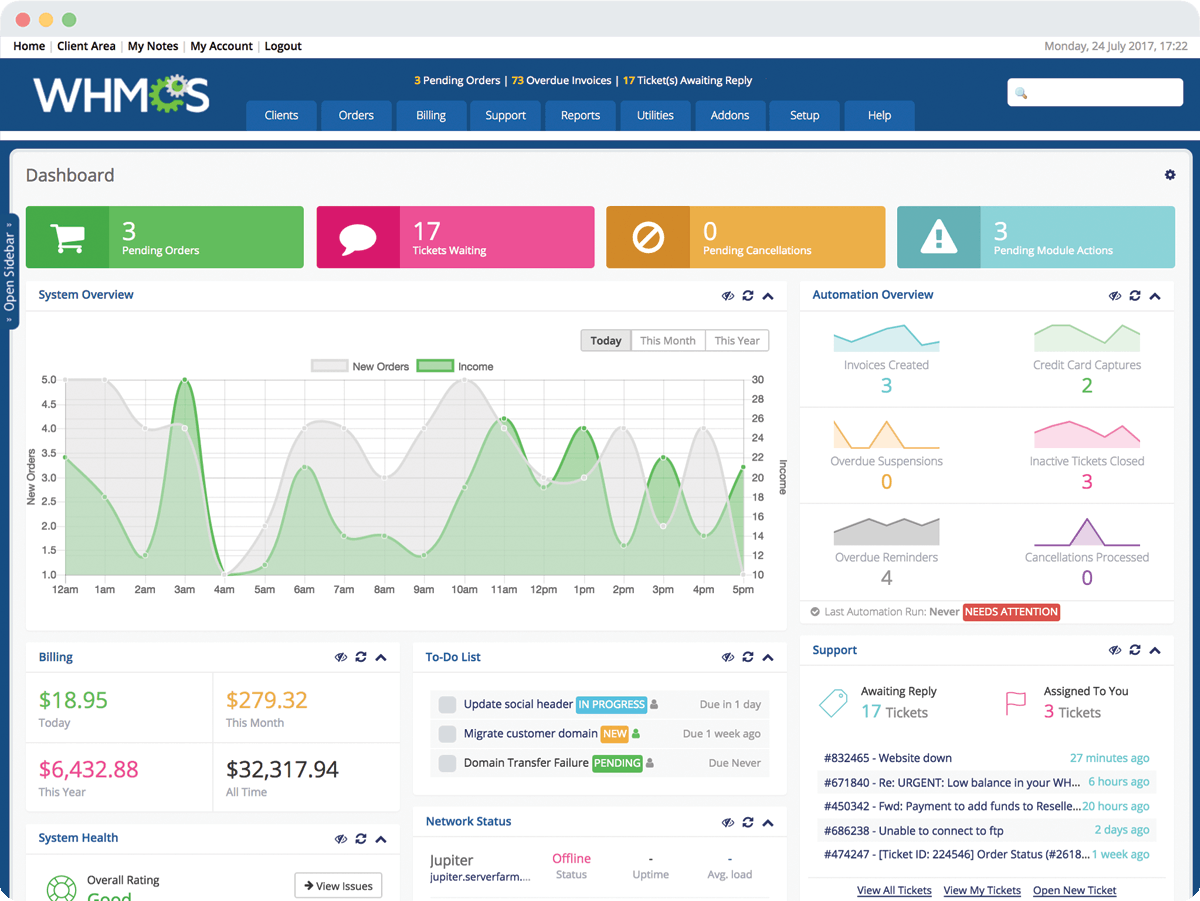
WHMCS is a leading webhosting management and billing software that enables you to automate all aspects of your business from billing, provisioning, domain reselling. HostsCheap is an expert in WHMCS installs and is the best when it comes to support. If you are looking for top-notch whmcs install support team to carry out your whmcs integration seamlessly, check HostsCheap. They have got a team of professional whmcs install experts with an aptitude to reliably handle patch upgrades, new installation, fixes and configuration. The team members work on H-Sphere, Plesk, Cpanel & WHMCS platform.
✅ Installation Any Open Source or cPanel in VPS/DS Server (without Control Panel )
✅ WHMCS Installation
✅ Cron Jobs
✅ Further Security Steps
✅ WHMCS Admin URL Change
✅ WHMCS Admin URL Login IP Restrictions
✅ 1 Domain Setup
✅ Apache or Nginx Web Server Configuration
✅ PHP 7.xx/PHP 8.xx
✅ PHP-FPM
✅ MariaDB/Mysql Database Server
✅ Redis cache
✅ PHPMyAdmin
✅ Web mail access (RoundCube, Horde, Squirrelmail)
✅ FTP Server
✅ PHP security with IonCube Loader 7.xx or 8.xx.
✅ Firewall / Server Security Configuration
✅ Fail2ban Configuration (ssh)
✅ SSL certificate Free/ Paid Installation
✅ SPF Setup similar with Existing Configuration.
✅ DNS Configuration such as ns1.example.com & ns2.example.com
✅ DKIM Setup similar with Existing Configuration.
✅ DMARC Setup similar with Existing Configuration.
✅ rDNS Setup.
✅ Spam Filter setup if Requirements!.
Order Support Buy Licence Free Zoom Meeting
If you have been looking to install, deploy, and configure WHMCS, well you have come to the right place! In this guide, we will provide you with detailed information on how to configure WHMCS, which is a great solution for your business if you are a web hosting provider and want to make your business processes more automatic and efficient so that the customer service becomes even better. We understand that WHMCS might be one of the most complex systems, but rest assured, it is quite easy to deal with it provided you have the right guidance. With our assistance, you will be taken on a tutorial that not only helps you figure out WHMCS but also make the installation quite seamless and easier than you ever could imagine.
One major reason we offer our services is because we understand whmcs configuration can be a hassle to everyone especially for newcomers, hence why we provide services that guides you with installation and configurations. Doing so, would allow our customers to use whmcs at an optimal level making the management of web hosting business much easier. You will find out more about WHMCS and what more it has to offer below in this article.
Key Takeaways:
The WHMCS commercial host account service can be put into its broader context as the third-party software systems created for web hosting management. WHMCS is an acronym for Web Host Manager Complete Solution and as the name depicts, it is a web based software that is integrated with all aspects of web hosting.
WHMCS is capable of doing this is such critical aspect for any business as customer acquisition. It can do so particularly for hosting providers via selling their servers, reselling domains, or providing additional services. WHMCS will also lower cost of providing hosting services, therefore WHMCS is a perfect solution for any hosting provider.
As WHMCS allows to collect user fees, it also allows to manage user accounts and their balance. Contact any member of the customer service department, support department, billing and human resources and tell them what you want and see how easy it is to improve your user experience.
Apart from that, WHMCS has wide-ranging billing and invoicing functions. You can create professional invoices, track the payments and set up billing for your customers automatically. These automated billing processes not only save time but also helps in keeping proper accounting books for your web hosting business.
WHMCS has several distinct advantages which are not available in other web hosting management systems. First, WHMCS is very flexible, and it allows you to configure it in accordance to your particular business model. You can alter the design of your client area, change the order forms, and set what products and services are offered.
In addition, many web hosting control panels, registrars and payment systems are well integrated with WHMCS. Such broad integration capabilities ensure that WHMCS can work effectively with other systems already in use within your structure and provide you with comprehensive management in your web hosting company.
A second distinguishing aspect is the WHMCS strong system when it comes to reporting and analytics. This platform gives customers several reports and insights regarding different units of their business including sales, customers, and even finances. These months enable users to utilize their hands on decisions making and trying to tune their business techniques considering this data.
To summarize, WHMCS is a web hosting management tool that has a great number of advantages to web hosting enterprises. WHMCS changes almost every aspect of business, from management, task performance, and, most importantly, having great customization options. It is clearly a must-have application to web hosters so they could increase their parameters and enhance overall customer experience.
So in order to start with the WHMCS installation guide, the first step is to download the needed files. The official WHMCS site for paragons. After the download, you will have to unzip those files which are downloaded or were in “zipped” format. It is important to have good internet access when downloading those files so that the download does not drop in between.
`When you have finished downloading the files, the next step involves preparing the files before proceeding with the installation. This includes checking if the PHP version and the database are compatible and updating or changing them if there are any issues.` Remain focused on the specific lines of this last quote and refrain from writing on the specific php version because, per WWHMCS, it is unmistakably essential to comply with the offered guidelines when installing. Failure in sticking to the instructions increases the likelihood of a failed installation.
`In case you do not have one, you will have to create one up on accessing your cPanel, and then go to the area of managing the databases where you can create a separate database for your WHMCS.` Another important aspect in the process of creating a WHMCS account includes the safety of the dedicated database where sensitive information will be stored .
Therefore, it is recommended to use complex usernames as well as passwords which are hard to guess phrases in order to retrieve the information in the database. Most importantly, you are able to modify the necessary information in the WHMCS installed on your computer as long as you have appropriate database credentials. While the process of installation is in progress and during the setup, the relief you acquire when WHMCS turns out to be compatible with the Cpanel by easily accepting all the necessary details including your host, username and password is undeniable.
It is very crucial to properly configure your WHMCS platform so as to enhance its functionality. This section provides you with some of the steps that you need to follow to achieve a successful WHMCS configuration. All organizations have their own unique needs, and these best practices ensure WHMCS is modified and developed to meet those needs while providing the client with an easy and fast system to use.
1. Customize Settings:
To begin with, it is important that you customize your WHMCS general settings. This ranges from filling in details under your company, creating a brand and even email templates. By adjusting these components from the settings to reflect your business identity, you improve the way you want your customers to perceive your business.
2. Define Products and Services:
Now, open the WHMCS and enter your defined products and services in the system. This would include creating them into product categories, adding individual products or services. Each product or service should have an accompanying description, price, and a particular billing cycle. By categorizing and defining your product range, you will be in a position to promote your product range to your customers.
3. Enable Payment Gateways:
The integration process of payment gateways into your WHMCS installation is crucial because using them allows for verification and smooth transactions. This can also ensure that the customers do not end up with issues concerning payment. The payment gateways need to be integrated effectively so that billing is handled and payment processes are automated.
4. Set Up Support Tickets:
Support templates can also be created in WHMCS so that customer questions or tickets can be answered easily and in a timely manner. In relation to the topic, tickets can be separated based on customer questions with tags like technical support, billing and queries, amongst other departments that may be relevant. Have workers for every ticket department and ensure that the issues that customers voice are sorted effectively.
TIP: A ticket system that allows emails to be used might also allow for better customer support management workflow which in turn allows for better customer relations. Emails can be used as a means of communication for your support members and clients and vice versa allowing for quicker problem resolution.
In light of these points, it is safe to say that the key objectives that lead to the successful configuration of the WHMCS framework have been achieved. It is important to keep in mind that with the changes regarding your business, make sure to update settings regarding WHMCS in accordance to keep enhancing your customer management procedures.
For WHMCS users to effectively handle their activities and systems, it is essential to automate cron tasks. In that way, cron jobs will assist you in avoiding redoing tasks thereby improving workflow efficiency in your web hosting company.
It is possible to set up additional automated tasks such as the generation and sending of invoices, reminders and carrying out of backups or updating of statistics when cron jobs are properly configured in WHMCS. Thus, it enhances your productivity that allows you to concentrate on other crucial tasks that require your attention.
Automating Your Workflow with WHMCS As I have promised earlier, in this section I will focus on automation capabilities other than aspiring to become a task managing tool, Workflow in many organizations is WHMCS. Here are some key features: * Automatic Provisioning of Accounts: You will be delighted to know that WHMCS automatically creates and activates customer accounts on receiving payment, thus saving you the headache of doing so manually. * Payment Gateway Integration: When integrated with the well-known payment gateways, WHMCS will handle payments wherein customers only need to press the ‘Pay’ button. This guarantees timely and secure transactions. * Support Ticket Automation: What good is automated creation, if there is no timely resolution? WHMCS can automatically create and assign support tickets for resolution and even add them to escalation queues, so any customer service requests are followed up and addressed. * Product Renewal Automation: WHMCS fully automates the renewal process of products and services offered, this is to say that you will never leave a customer without service. These features and other capabilities to process automated tasks surely save time, reduces human error, and ensures that you produce a higher output for your web hosting business. Seamless Integration of Hosting Servers and Reseller Accounts In order to expand the outreach of your reseller business to larger horizons, there has to be no mismatch between your hosting servers and reseller accounts. WHMCS when put together with your hosting infrastructure will take your reseller business to the next level. In this section, you will be provided tips, step by step instructions to perform the integration without a hassle.
Let's begin the integration smoothly by linking WHMCS with your hosting servers by whmcs installation service. You can do this by going to the proper areas in WHMCS and changing some settings. Furthermore, with the help of hosting infrastructure integration, you will be able to manage your business better and also manage your end users in a better way.
You will be able to connect to WHMCS with your hosting servers by following the steps above which will in turn allow you to effectively run your reseller business.
After successfully integrating your hosting infrastructure along with the WHMCS together, it is time to use the services offered by integrative WHMCS in order to improve your reseller’s business. This will allow you a sense of WHMCS in which a bulk of the business is automated, clients are able to be managed from a streamlined interface and a better efficiency on grounds of operations from the overall perspective of the business.
First, Automation: This is on the top of the list because it is so important. WHMCS allocates new clients, recharges them, and completes orders for you and thus provides you with enough time to concentrate on promoting your reseller business.
Overall, why all these integrated WHMCS services will help you improve your reseller business is because it will provide your users with more professional quality and also an easier flow.
It is quite clear that there are several processes to consider in order to properly set up the WHMCS for anyone who plans on starting a web hosting business. The first step is to make sure the web host client has the best product options and has the correct service area from the client’s perspective.
Proper configuration of the product portfolio in WHMCS is important because it facilitates effective organization of the available services Drying up your product portfolio allows effective presentation of the available models of the hosting plans, packages and offered features. This allows your clients to easily comprehend the services and pick the right ones that suit their needs.
Some of the best practices that should be followed while setting up your product portfolio include:
In WHMCS, every service parameter is a custom feature. These include storage, bandwidth, or email accounts. These parameters not onl
Get in touch with our certified sysadmins today for a rapid assessment and instant service deployment.