
Clean OS & Panel Deploy
Optimized installation on AlmaLinux, Ubuntu, or Debian with recommended production partition layouts.


Looking to Migrate WHMCS to a new server? Our expert team offers WHMCS migration services to seamlessly transfer your data to another server. Contact us today!
Supported Control Panel Ecosystems & Addons
Enterprise Server Management
Our certified Linux engineers handle OS hardening, web server tuning, firewall rules, and zero-downtime transfers.
Optimized installation on AlmaLinux, Ubuntu, or Debian with recommended production partition layouts.

CSF firewall, ModSecurity OWASP rules, and brute-force protection configured out of the box.

LiteSpeed or Nginx reverse proxy with OPcache, Redis caching, and PHP-FPM worker pool optimization.

MySQL/MariaDB buffer tuning, slow query logging, and InnoDB optimization for responsive dynamic websites.

Full SPF, DKIM, DMARC, and PTR record validation to guarantee high inbox deliverability.

Seamless transfers of accounts, databases, emails, and DNS with comprehensive pre-switch data audits.
Free your developers from routine package updates, kernel patches, and user account troubleshooting.
Fine-tuned daemons prevent memory leaks, load spikes, and resource starvation on high-traffic servers.

Real-time intrusion detection and automated vulnerability patching neutralize exploits instantly.
Starting at
one-time fix
Order Incident FixStarting at
one-time setup
Start SetupStarting at
per server / month
Subscribe Pro CareSide-By-Side
| Feature | HostsCheap | Unmanaged VPS / DIY | Generic Outsourced Support |
|---|---|---|---|
| Response SLA | < 15 Minutes | None (DIY) | 4-8 Hours |
| Root Security Hardening Included | +$50 Extra | ||
| Database & Webserver Tuning | Manual | ||
| Zero-Downtime Migration Support | +$100 Extra | ||
| Proactive Health Monitoring | Basic Ping Only | ||
| Money-Back Guarantee | 14 Days | None | None |
Every panel configuration includes our hardened security baseline to safeguard critical data against modern threat vectors.
Customer Stories
“Migrated 45 customer accounts to a new high-spec server overnight without dropping a single email or customer session. Flawless execution.”
“Our server was constantly hit by brute force attacks. Their security team hardened CSF and configured fail2ban within 45 minutes.”
“Subscribing to Monthly Pro Care was the best decision for our agency. Tier-3 sysadmins on call whenever we need them.”
Ensure a smooth transition for your web hosting with our Expert WHMCS migration service. Hassle-free data transfer and setup for success. Professional whmcs migration service to efficiently transfer your whmcs to a new server. Our experts handle the entire whmcs migration process seamlessly.
$250.00 USD One Time Setup Fee
GigID : WHS-WHMCSI-904 Delivery 03 Days
WHMCS is the leading web hosting management and billing software that automates all aspects of your business from billing, provisioning, domain reselling. HostsCheap is a premium quality whmcs migration support service provider. The WHMCS migration services are the services sustained by a team of technicians having an in-depth knowledge and experience of building customised solutions for migration and integration. Our dedicated technical team creates the platforms which help you migrate your website to another with great ease.
✅ Installation Any Open Source or cPanel in VPS/DS Server (without Control Panel )
✅ WHMCS Migration
✅ Cron Jobs
✅ Further Security Steps
✅ WHMCS Admin URL Change
✅ WHMCS Admin URL Login IP Restrictions
✅ Apache or Nginx Web Server Configuration
✅ PHP 7.xx/PHP 8.xx
✅ PHP-FPM
✅ MariaDB/Mysql Database Server
✅ Redis cache
✅ PHPMyAdmin
✅ Web mail access (RoundCube, Horde, Squirrelmail)
✅ FTP Server
✅ PHP security with IonCube Loader 7.xx or 8.xx.
✅ Firewall / Server Security Configuration
✅ Fail2ban Configuration (ssh)
✅ SSL certificate Free/ Paid Installation
✅ SPF Setup similar with Existing Configuration.
✅ DNS Configuration
✅ DKIM Setup similar with Existing Configuration.
✅ DMARC Setup similar with Existing Configuration.
✅ rDNS Setup.
✅ Spam Filter setup if Requirements!.
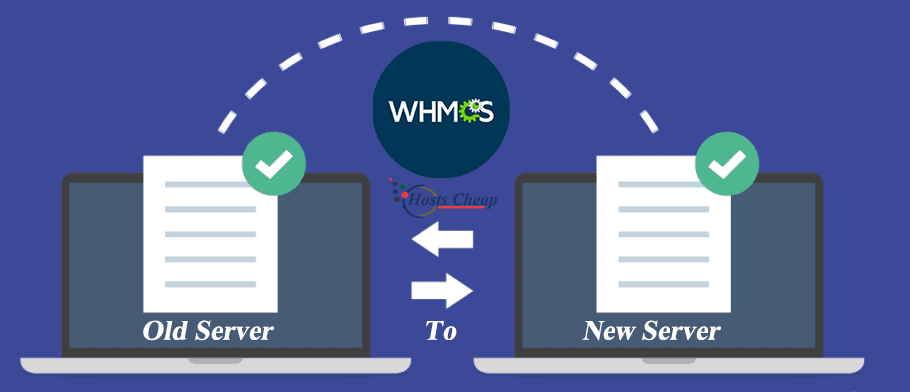
Do you want to migrate your web hosting services to WHMCS seamlessly without any headache? Our WHMCS Migration Service can assist you. Our team has deep knowledge and experience in WHMCS migrations so we are able to pursue your transfer projects with minimum impact to your business.
Using our WHMCS Migration Service, you do not have to worry about the transfer processes at all, our team will handle the moving of all your important data, files and properties, as well as configuration making sure everything is done properly. This way you can focus on the management of your business while we do the heavy lifting for you.
You are welcome to use our services when making a transition to WHMCS with assurance. Get in touch with us now, so we can tell you more about our very easy to use Migrate WHMCS Service and allow you to take your web hosting services to a higher level.
Key Takeaways:
The WHMCS Setup Guide Paper CDDIf you are going to install WHMCS, we at CDDI suggest a simple and smooth WHMCS installation. This part will provide an understanding of how to install basic software, automate it with cron task scheduler and configure the initial settings so that all tasks are completed faster and uniformly in a step by step manner.
The installation of WHMCS begins with the core software. So the first step involves the installation of the core software. As a first step, Migrate WHMCS solution has to be downloaded from the official website. The downloaded file has to be uploaded on the web hosting server of the user. After completing the uploading process, a WHMCS installation wizard appears on your screen. This wizard contains as guides that lead you throughout the setting up your WHMCS installation.
Licensing in WHMCS is a major concern, in the beginning, because, a provider will ask to input such sensitive information as the licensing code, various databases on accounts among other things. The information will be verified prior to the installation of WHMCS, as fraud has to be avoided so Measures like these are ideal in providing security for WHMCS setup.
To avoid manual attempts to generate invoices, email notifications, or registering domain names, WHMCS is there to automate such actions by incorporating the use of cron tasks that automate any scheduled command to run on specific or set time intervals.
In order to be able to automate particular actions within WHMCS, it is necessary to configure cron tasks on your server. That means, you have to make a cron task that will activate the required WHMCS scripts at certain times. These scripts are responsible for automation processes like reminders, invoices, or changing the status of your registered domains.
Creating cron tasks can be quite challenging for anyone without technical expertise, however, WHMCS offers its users comprehensive manuals and instructions that guide them through the setup. Once established, cron task automation will significantly impact the smoothness of operations within your WHMCS system.
Once the core software program and settings have been installed and automated, the next activity is to form the initial configuration of the system in WHMCS. This consists of stating the about your company, preparing the payment methods, making the mails setting, and client groups and their prices.
Each manual configuration step in the WHMCS system is set with particular aims that relate to the functionality of the WHMCS system based on the operating business type. Therefore, defining and modifying various manual configuration options throughout the setup is a crucial step in guaranteeing that your WHMCS installation fits your precise operational specifics.
By following these steps, you can deploy WHMCS in the right manner which will help your business prosper in the web hosting realm without any stress. It is a highly recommended to go through every step accurately and if you have any problems, please go through other issues in this WHMCS documentation or reach out to the support department of WHMCS.
While website hosting companies have loads of clients transitioning to newer WHMCS versions, there are still those who haven’t yet buckled up for the transition and continue operating on older versions of WHMCS. By implementing good WHMCS practices, you can reap the benefits which the previous versions lack of which will ultimately stream line your entire business.
On top of improved UI/UX the latest WHMCS version and addon will make your WHMCS clients happy. She claimed that it also had a positive effect on her business since it improved client retention, satisfaction and brought her more clients. That said, upgrading WHMCS version should not very hard for clients.
Furthermore, WHMCS supports a variety of operations enabling clients to rapidly expand their WHMCS-related businesses. This deletion will also help the hosting companies with their business expansion as they would have more clients to vendor to without significantly hurting their revenue.
For any web hosting company, the need for branding and customization, is really high. With the WHMCS, it is possible to implement a custom theme that is in line with your brand for better integration. This goes a long way in ensuring that there is consistency in the design of your entire WHMCS set up, ensuring an easy transition for your clients.
When setting up a custom theme within WHMCS, it is important to maintain a consistent header and footer elements as they form part of your website. Instead, WHMCS has predefined options for the integration of the header and footer, hence there is less chance of your page losing the feel of your brand.
Adding your custom header and footer will enhance the UX of the page, while achieving a consistent image of your brand. However the design of the site could be simple or complicated, there are WHMCS customisation options that can integrate smoothly.
It is a known fact that CMS are necessary for incorporating content and placing it on the desired area of the website, WHMCS knows that better than anyone. This is the reason why it is configured for integration with a number of CMSs including WordPress, Joomla, Drupal and others.
While connecting WHMCS with other CMS’s, there could be problems to be solved. One such problem includes secure integration especially considering the fact that each CMS has its own specifics. Thanks to the WHMCS, you should not be worried since its integration allows for easy importing of your specific custom theme into any CMS of your choice.
With regard to transferring WHMCS, it is highly important to reduce downtime because of the company’s website and client services availability. Our WHMCS Migration service attains the zero downtime by using efficient file and data transfer strategies and maintaining automation and emails configurations.
File and data transfer is securely performed by our network of professionals who work hand in hand with our customer so that the valuable files, relevant data and the required configuration are properly implemented in the new WHMCS. Our focus on details means that there will not be data loss nor data will be corrupted at the end of the migration.
As your automation processes and email configurations are crucial, we wish to inform you that they too can be successfully transferred alongside file and data transfer. Whichever mode of automating processes in WHMCS you employ, for instance, cron tasks, a migration service will make sure that they can be easily applied in the new WHMCS installation in no time. In the same breath, we also do our best to ensure the consistency of the e-mail configurations by preserving the set of email accounts, aliases, and other related settings.
With zero downtime being the central focus of our system, expect a WHMCS Migration Service that sells the idea of business continuity and smooth transition. Hire us and don’t worry about the technical aspects of the transfer, it will be easy for your business to continue serving customers since there will be no large disruptions on your website.
Moving to WHMCS gets you access to a number of cutting-edge tools that will help to enhance your web hosting business further. The tools are aimed to increase WHMCS usability and performance, giving you more options. More features mean more worth to your business, so let's have a look at these advanced features and how they can help you create more value for your business.
These are just a few examples of the advanced features available through the WHMCS Migration Service. In addition, they allow you to simplify business processes, improve the quality of the client, and confidently expand your web hosting business.
Each WHMCS user now has the opportunity to seamlessly integrate personalized assistance into their workflow. WHMCS Priority Access offers members a one of a kind solution which allows Clients to seamlessly point their dedicated support contact towards any set issue and have it resolved in no time.
Support Contacts received an important boost thanks to WHMCS Priority Access in that WHMCS members now have the ability to place priority tickets meaning that members do not need to fret over their queries as they'll be attended to in no time.
Priority tickets also ensure that any set concerns are resolved in a set timeline as well, allowing support staff to be more time efficient and customers more satisfied as support queries get answered on an immediate basis.
Advance Your Business with WHMCS Enterprise Solutions WHMCS Enterprise Solutions are the optimal business support that you are looking for to grow your business. For any business, whmcs modules and support enables growth whether it is a startup or a reputed firm. With WHMCS Enterprise Solutions you will have access to enterprise-grade capabilities that enhance the web hosting business functionality. This will indeed help you tremendously in expanding your business and reaching new heights. WHMCS Enterprise Solutions has it all whether it is custom development, account management or even prioritized help. Our experts are there to help you reach your business targets and provide you with seamless integration of WHMCS into your operations. When you become a partner with WHMCS, you are not only expanding your existing business. You are able to take it all to the next level. Do not settle for less, but leverage WHMCS Enterprise Solutions and take control of your future.
WHMCS has always made it easier to manage businesses in the wholesale area and even for those who are just starting they have a chance to borrow a couple of ideas from business management. It’s all easy and straightforward. Here’s how to get it going.
You need to comprehend that WHMCS stands out as a corporate level software for a reason. The first step is creating an account on WHMCS. It is free and open to the public. An easy account setup will help in gaining a foothold into the world of business sophistication.
Once an account is created you will see plenty of options to get started. After log in simply go to the following steps one by one.
Partners who are opening a business for the first time should ensure few basic factors, one of which is that it should conform to WHMCS system needs.
Updating
Get in touch with our certified sysadmins today for a rapid assessment and instant service deployment.