
Clean Theme & Plugin Install
Flawless setup of ThemeForest and CodeCanyon scripts with sample demo content and database imports.


Our WordPress Malware Removal Service offers the best Free DDoS for protecting your site from security threats. Trust our experts to safeguard your website.
Supported CMS & E-Commerce Platforms
CMS & E-Commerce Mastery
From initial theme installation to emergency malware eradication, our certified CMS specialists keep your digital storefront fast, secure, and profitable.
Flawless setup of ThemeForest and CodeCanyon scripts with sample demo content and database imports.

Complete removal of malicious redirects, webshells, pharma hacks, and database injection backdoors.

Redis object caching, database transients cleanup, script minification, and image WebP conversion.

Migrate active stores, customer carts, order histories, and payment webhooks with zero dropped transactions.

Bypass aggressive caching on cart, checkout, and account pages while keeping static assets blazingly fast.

Lock down wp-admin, disable XML-RPC attack vectors, enforce two-factor auth, and patch plugin vulnerabilities.
Fast loading stores rank higher on Google search results and convert up to 40% more checkout visitors.
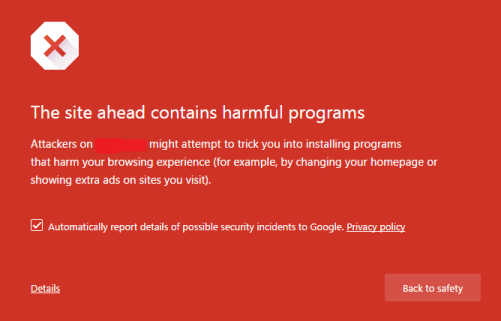
Avoid Google Safe Browsing warning screens and payment gateway suspensions caused by infected sites.
Hand technical bugs, updates, and compatibility conflicts to our engineers so you can focus on marketing.
Starting at
one-time service
Order Setup / FixStarting at
complete overhaul
Start OverhaulStarting at
per store / month
Subscribe GuardianSide-By-Side
| Feature | HostsCheap | Freelance Marketplaces | Automated Security Plugins |
|---|---|---|---|
| 100% Clean Malware Guarantee | Hit or miss | Misses custom shells | |
| Zero-Downtime Data Guarantee | Risky | N/A | |
| Server-Level PHP & MySQL Tuning | |||
| Experienced Agency Sysadmins | Unknown skill | Software only | |
| Guaranteed Turnaround SLA | < 4 Hours | 2-5 Days | N/A |
| Post-Service Warranty | 30 Days | None | None |
We protect consumer payment information and critical database tables using industry-proven security standards.
Customer Stories
“Our WooCommerce site was hacked with spam redirects right before Black Friday. HostsCheap cleaned all files and secured the server in 90 minutes. Lifesavers!”
“Migrated our complex Magento 2 store with 25,000 SKUs without losing a single customer session or order. Fast, courteous, and deeply knowledgeable.”
“They installed our ThemeForest theme, imported demo data, and optimized our plugins. The site looks stunning and loads in under 800 milliseconds.”
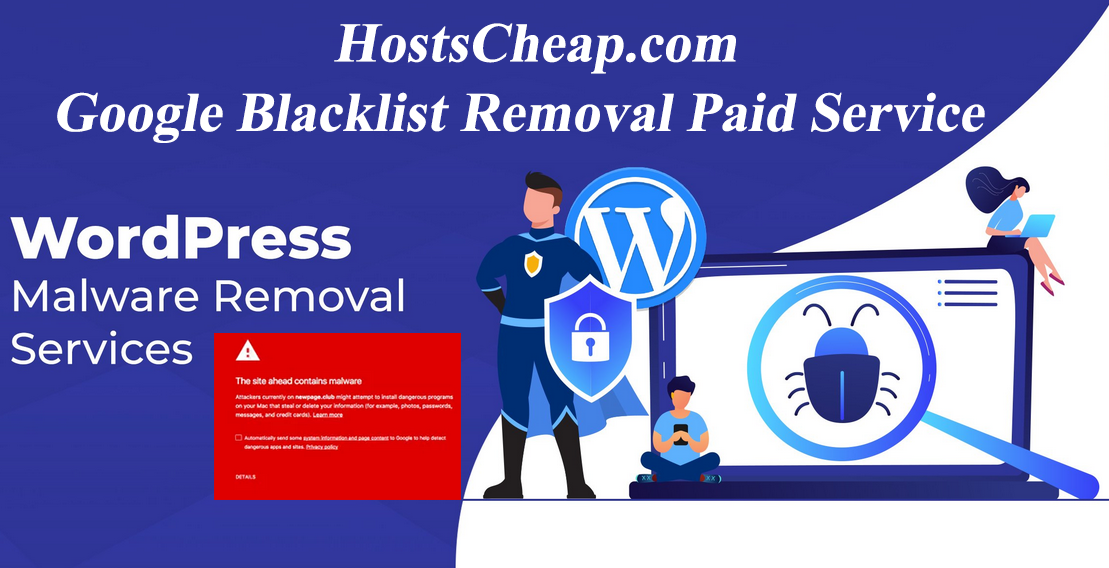
Get fast and effective WordPress malware removal services to fix your hacked site and prevent future attacks. Trust our expert team for Reliable Solutions. Looking for the best WordPress malware removal service with Free DDoS? Our expert team offers top-notch WordPress malware removal solutions to secure your website.
$180.00 USD One Time Setup Fee
GigID : CMSS-WPBRM-305 Delivery 04 Days
The importance of staying on the Google Blacklist is paramount. Unfortunately, without a whitelist like Google maintains for brand safety, there's no set way to get off the blacklist or whitelist. However, there are certain precautions that are necessary to take prior to and post even being flagged for illegal activity. When a website is added to Google's blacklist, it means that Google and other search engines are marking the website as unsafe and not secure. Websites can be added to the list for a number of reasons. Sometimes webmasters unknowingly provide links on their site which lead users to malicious or compromised websites. This could range from an innocent blog post that has a few dodgy links in the comments, to an entire forum dedicated to spamming.
✅ Clean Malware from server (Cpanel, Plesk, AWS, Vultr,...)
✅ Fix Hacked WordPress Website
✅ Blacklist Removal such as (Google, Norton, McAfee etc)
✅ Fix Suspended Hosting Server
✅ Backdoor Removal
Some Security Features Will Added
✅ Web Application Firewall
✅ Limit Login Attempts
✅ Hide Admin Panel
✅ Defend Brute Force Attack
Welcome to our secure, you can rely on our WordPress malware removal service. We do understand how it can be frustrating to come across malware on your website, but do not worry, as you have come to the right place. With the help of our professional team and straightforward solutions, we will make sure that your website runs smoothly and remains secure. Let us help you with the cleanup so that you can have a peace of mind.
Malicious software has the potential to ruin your online reputation, as it would disrupt the functionality of your website and the experience users have on it. It is for this reason that as a website owner, it becomes even more important for you to take swift action to remove malware from your WordPress website. Rest assured, we have a professional team who has the skills and the equipment required to detect and remove any and all forms of malware to restore the security of your site and protect your information from any malicious individuals.
Choosing our service means availing of a multi-step solution for your information security concerns. we carry out a detailed analysis followed by a thorough cleaning of all the WP malwares that we may encounter in the tasks assigned to us. After carrying out due diligence, we scan your WP core and get rid of malware using official recommendations step by step. That is our objective – to clean all possible traces of malware or viruses that could jeopardize the integrity of your website in the future.
In addition, we acknowledge the need for safeguarding against future malware attacks. Therefore, we will assist you in applying the recommended security practices alongside security plugins and firewalls. It is also important to note the significance of updating the WordPress core, themes, and plugins frequently to avoid exposure to vulnerabilities.
You should rest assured that no matter what value you get, you would be able to trust us on the value of money you spent suing our transparent pricing and guarantee policies. We offer complete transparency in pricing and provide guarantees Free DDoS to earn your trust and satisfaction regarding our service. Our ongoing support and aftercare services will work to solve any problems you may have.
Get in touch with us so that you are able to protect your WordPress website while also taking advantage of our malware removal service. You should not allow malware to further stress you about your website’s security. Leave all that to us as we work day in and day out just to get it all sorted for you as fast as we can.
Key Takeaways:
We want to dive more into the types of risks posed to the users of WordPress malware in this sub-section. The sheer size of abuse of the WordPress Content Management System has made it one of the biggest targets for exploitation thanks to malicious actors. It is critical to be cognizant of these threats so that you can take appropriate measures to secure your WordPress site and other components of your web assets.
It wouldn’t be long until most us starting engaging in the cyber crime as this wording has made every part of sites vulnerable from web development to end users.
Malware has made every aspect of engaging in surfing the web detrimental and in the long run God knows how many people get hacked or scammed.
WordPress websites are at risk of getting infiltrated with an array of malware types. Classifying and knowing these various types can help you understand the risks that you might be regretting later on. Included in the many types of WordPress malware are:
The presence of malware on a website has alarming effects such as weakening its security, impacting its performance and ripping off user satisfaction as well. More specifically, malware can affect your site in the following ways:
One should exercise caution and be able to identify whether their WordPress website is potentially under malware attack. thThis malware is identifiable through multiple signs and resources and is able to corrupt the website with ease:
Protecting your website’s integrity requires an understanding of certain factors such as risks, different types of malware, as well as the manner in which these could affect your WordPress site. In order to maintain the safety of your WordPress site and guarantee its dependability, conducting regular security checks and looking out for signs of a possible attack are significant measures.
In regards to how to deal with the infected WordPress sites, what is most important is the timing. The outstanding feature of the response is that it limits damage that has already been caused by the malware. Preventative measures on the other hand are important in the sense that they reduce the chances of further breaches and save your website as well as its reputation from harm.
Malware attacks on WordPress sites of course not only need to be prevented but combatted as well, which is why it’s important to understand how they are executed. By understanding the specific phases involved in a malware attack on a WordPress site, one will be able to know the necessary defensive measures to undertake. In this part we will focus on the early stages of an infection including the types of entry points attackers exploit, the impact of the attack and the possible implications it has on the owners of the breached website.
An initial Infection can be described as the initial stage of a WordPress malware’s attack. Different attackers have different websites and methods that they target which allows them to gain unauthorized access. Such as exploitation of core, plugins, or themes, where they are able to place their code or inject into the WordPress system without authorization. Such instances occur owing due to weak passwords, old software, and also careless file permissions.
The core areas that have such malware embedded in Often include:
With the information provided above, it can be made clear that it can be helpful to all website owners and the items that are highlighted can serve as a guide for improvement of security through enhancing weaknesses to counter all the listed malware attacks.
The impact a malware attack does on a WordPress site as well as the owners is beyond the expectation .There are various problems that occur as a result:
User Experience Impact: Malware attacks on a website can make it difficult to open a website, slow down opening or make a user subject to a naked screen with too many advertisements, and so on. This will make the user have a negative experience.
Such negative consequences need to be understood and corrected at the earliest possible time if a website owner is to minimize the effects of a malicious software attack. For more serious attacks, companies usually recommend professional help and hiring services that specialize in replacing malware and hardening the security of the web page.
One of the options is to search for any WordPress malware removal, but, when searching for this service, several factors should be considered, to make the right choice. That’s why it is important to find the right WordPress malware removal services to preserve the reliability of your website. Some of the critical aspects you should look at include:
It is always good to be safe and that's why before making the final decision do consider all the aspects so that you can have a WordPress malware removal service that suits your need and provides the level of security that you are looking for.
Example Provider A does have the relevant experience, has received positive testimonials from a variety of customers and for our of interest specializes in WPMRV thus redundantly illustrates their higher level of expertise. Their prices also seem quite affordable as many packages with added assistance are in stock. On the other hand, Example Provider B does not seem to specializes in the removal of WordPress malware and their pricing goes on to sell cheaply rather. It's easy to note that there are many factors and one must properly assess them to ensure that the requirements that you have are the ones that are met.
For malware removal WordPress visits, be rest assured that our thorough assessment and cleanup works will provide an all-encompassing solution. We utilize best practices in the industry to ensure the highest protection levels and control.
In order to provide more service to you, our team does advanced WordPress security scans to understand better the structures of your website. These scans are meant to find and even try to remove existing malware within the website. After scanning through your WordPress files and databases, we will know exactly where the affected site is and what methods were used malware.
After locating the affected areas, our experts will do a step-by step approach towards the elimination of the malwares present on your website. The site is wiped down in which infected files, malicious code, and backdoors are all eliminated.
By adhering to the rules of the industry and what we are capable of as professionals, cleaning your site of malwares is a transformable task for us. And for you, our aim is for you to have a WordPress site free of malware that has the capacity to operate in safe online conditions.
It is one thing to put up a WordPress site but is quite another to make sure it is always secure as well as functional. This means whatever malware or other attempts which would put the site which you do not want. Here’s a taste of what we cover in this part, while aiming to learn how to best secure your site.
Attacks can easily happen if strong security measures are not put in place, which is why the best security practices are integral to installing a WordPress site. And some of those best practices include:
Make sure that you and your users understand potential security risks that could arise on the internet and train them to be aware.
WordPress has a good number of security plugins as well as firewall programs that can add more security to your site. These applications can be used to monitor and create alerts for malicious activities, blacklist some IPs, or enhance the security of your site as a whole:
After your WordPress site was compromised it is crucial to act immediately in order to save whatever can be left on the page. The first step to take is implementing an emergency response plan which in turn will speed up the engagement recovery process.
In the event that your WordPress website is compromised, the following is an overview of the strategies and steps to take in order to recover:
Our certified CMS specialists are ready to inspect and optimize your site today.