
Clean Theme & Plugin Install
Flawless setup of ThemeForest and CodeCanyon scripts with sample demo content and database imports.


Looking for WordPress migration experts to safely and efficiently migrate your website to a new host? Our professional WordPress Migration Service.
Supported CMS & E-Commerce Platforms
CMS & E-Commerce Mastery
From initial theme installation to emergency malware eradication, our certified CMS specialists keep your digital storefront fast, secure, and profitable.
Flawless setup of ThemeForest and CodeCanyon scripts with sample demo content and database imports.

Complete removal of malicious redirects, webshells, pharma hacks, and database injection backdoors.

Redis object caching, database transients cleanup, script minification, and image WebP conversion.

Migrate active stores, customer carts, order histories, and payment webhooks with zero dropped transactions.

Bypass aggressive caching on cart, checkout, and account pages while keeping static assets blazingly fast.

Lock down wp-admin, disable XML-RPC attack vectors, enforce two-factor auth, and patch plugin vulnerabilities.
Fast loading stores rank higher on Google search results and convert up to 40% more checkout visitors.
Avoid Google Safe Browsing warning screens and payment gateway suspensions caused by infected sites.
Hand technical bugs, updates, and compatibility conflicts to our engineers so you can focus on marketing.
Starting at
one-time service
Order Setup / FixStarting at
complete overhaul
Start OverhaulStarting at
per store / month
Subscribe GuardianSide-By-Side
| Feature | HostsCheap | Freelance Marketplaces | Automated Security Plugins |
|---|---|---|---|
| 100% Clean Malware Guarantee | Hit or miss | Misses custom shells | |
| Zero-Downtime Data Guarantee | Risky | N/A | |
| Server-Level PHP & MySQL Tuning | |||
| Experienced Agency Sysadmins | Unknown skill | Software only | |
| Guaranteed Turnaround SLA | < 4 Hours | 2-5 Days | N/A |
| Post-Service Warranty | 30 Days | None | None |
We protect consumer payment information and critical database tables using industry-proven security standards.
Customer Stories
“Our WooCommerce site was hacked with spam redirects right before Black Friday. HostsCheap cleaned all files and secured the server in 90 minutes. Lifesavers!”
“Migrated our complex Magento 2 store with 25,000 SKUs without losing a single customer session or order. Fast, courteous, and deeply knowledgeable.”
“They installed our ThemeForest theme, imported demo data, and optimized our plugins. The site looks stunning and loads in under 800 milliseconds.”
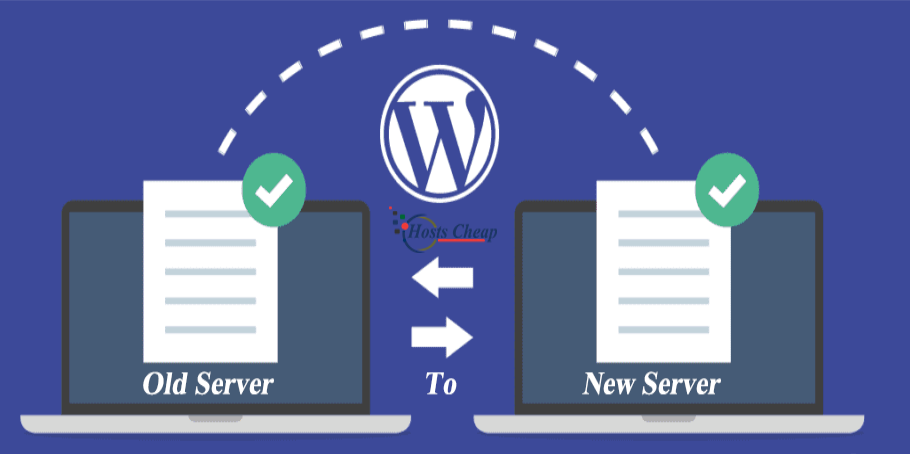
Migrate your Wordpress website hassle-free with our expert support. Ensure a secure and seamless transition with our SSL Wordpress Migration Service. Our team of WordPress migration experts can seamlessly transfer your website to a new host. Trust us for a smooth and hassle-free WordPress migration process.
$200.00 USD One Time Setup Fee
GigID : CMSS-WPMS-306 Delivery 03 Days
Premium support provider is now offering premium quality WordPress migration service. Move your WordPress site faster and more cost-effectively. Contact our WordPress migration experts today. Are you looking for the best service provider for hosting support, WordPress migration assistance, or just about anything premium support related? Well then, you have come to the right place. We have years of experience providing excellent quality service at affordable prices. Whether you are an end user or small business owner we are ready to help. We have many years experience in this industry so we know what it takes to succeed. A site is only as good as the hosting platform it sits on. Stores can't be successful with slow loading times, glitches, or user-unfriendly updates. That's why HostsCheap specialises in premium service and will do anything it takes to migrate you into the best plans for running your business.
✅ Installation Any Open Source or cPanel in VPS/DS Server (without Control Panel )
✅ 1 Site WordPress Migration
✅ Apache or Nginx Web Server Configuration
✅ PHP 7.xx/PHP 8.xx
✅ PHP-FPM
✅ MariaDB/Mysql Database Server
✅ Redis cache
✅ PHPMyAdmin
✅ Web mail access (RoundCube, Horde, Squirrelmail)
✅ FTP Server
✅ PHP security with IonCube Loader.
✅ Firewall / Server Security Configuration
✅ Fail2ban Configuration (ssh)
✅ SSL certificate Free/ Paid Installation
✅ SPF Setup similar with Existing Configuration.
✅ DNS Configuration
✅ DKIM Setup similar with Existing Configuration.
✅ DMARC Setup similar with Existing Configuration.
✅ rDNS Setup.
✅ Spam Filter setup if Requirements!.
Would you want to transfer your WordPress website to a different host? With our WordPress migration service, it is impossible to experience issues as our system offers a streamlined process which guarantees a rapid and secure solution while migrating your site. Thanks to us, you won’t face the strain of the shifting day.
Key Takeaways:
What is WordPress Migration?
In simple terms, WordPress migration is the transfer of a particular WordPress website from a host to another one. All files that are required for a functioning website such as databases, themes, plugins and all the other settings have to be transferred to a new environment.
Reasons for Migrating Your WordPress Site
Here are some reasons that may make you want to migrate your site:
Here are some of the reasons why you might want to change your web hosting service provider
You want to implement new features which are available on a different hosting platform.
Your business needed a rebranding or you changed the domain for your website.
The currently used hosting provider does not provide the necessary assistance and protection or has become untrustworthy.
You are interested in changing the hosting companies with emphasis on performance and reliability.
You have additional demand resources or scaling for your expanding website.
You wish to make use of the new feature set and capabilities available in another hosting platform.
You are altering your brand or the domain name of the website. - Rebranding to coincide the new changes in the brand image of the organization
Your present hosting company has become erratic or doesn’t provide support and basic security.
Choosing the right tool is the most critical aspect of a successful migration of a WordPress site.
There are a few factors you should look into:
By going through these factors will help you in making the best decision, so far as migrating your blog from one hosting to another hosting is concerned.
Now is the time to replace or choose the migration tool, however keeping in mind what your site needs and getting the right replacement would make the migration process much faster.
In advance of proceeding with the transfer of your site to a different site, there are crucial preparations to be done first. Also, Seeking assistance to migrate your website can also cost you much and raise your overhead costs.
However, prior to transferring your site, there are a couple of steps which can help you ensure that the transfer process will go seamlessly without hiccups. Transferring your site or migrating it, as per its specific terminology would mean that you are able to transfer even the smallest of details including the files necessary. Hence, the process involves creating a backup of original files which were necessary were required to run or make a site functional on the internet.
Using any third-party site like WHMCS can help you automate websites through automating it, it helps reduce the dependency on manual control Operated WHMC Finally, choose a compatible hosting company which allows for a tailored approach. By doing this you can use WHM , an add-on with easy to use applications.
Getting Started: Steps to Migrating to a Different Host Step 1: Seek a reliable company Supplementary options - Ideally websites up on Word Press can find things easy if they do have a knowledgeable provider already on the base using the core reason primarily being that if things change the tasks performed earlier will be wiped completely.
In order to get started and set up a completely different website using the same domain but secure hosting sites WHMCPRO can be utilized as it acts as a gateway to a version with a domain extension such as .com international domain extension. Your organization can still incorporate more efficient tasks as WHM allows you to create standard tasks without applying a larger control margin.
As a final resort, migrating to a more suited area or business sector would take a lot of work but the returns would be beneficial for a longer term as well increasing demand. One more advantage through this would be enhancing brand loyalty which is extremely important for any and every company to grow and flourish over the long term. Thus allowing the company to offer complimentary features such as internal control through WHM
All in all, through following this step by step procedures, migrating your WordPress site can be done quickly and smoothly ensuring that no time frames are disrupted or downtime happens during the course of the transfer.
Shifting from one domain to another for a WordPress site is sometimes a daunting task, so as to avoid the hustles, it is recommended to sign up for a managed WordPress migration service. There are dozens of benefits all tending towards a smooth and successful migration, with the support of professionals and minimal wastage of time.
So, having a managed migration when moving your website from one host to the other is that hand-holding support that you get while performing the deployment. The service provider has qualified and trained staff that knows the ins and outs of WordPress in general and its migration in particular. They can assist you in all phases from the formulating of the idea to putting it in practice and making sure that your site is accurately uploaded to the provided server.
Another major aspect with regard to managed WordPress migration service is the goal of availing it with the sense of minimal downtime. Downtime is the time frame when a website is not rendered for the users and this generally happens when the site is in migration. Professional firms such as Site Relocation offer custom-tailored plans for every project that guarantees minimum or no downtimes. This helps to ensure that the site is working and visible to the visitors even when it’s being moved from one host to another.
Finally, the security of data while moving between the different WordPress sites is vital to consider along with the movement of the WordPress sites.
One of the most critical things that one has to keep in mind during the migration of the WordPress site is the encryption and data protection protocols. This means that sensitive information cannot be accessed easily because it is encrypted. Encryption enhances the security of the information by ensuring that only the authorized parties can read data, such that even if the information is intercepted, it will be impossible to comprehend or misuse the information.
It's worth noting that because of encryption and data protection, no one can read sensitive information the only exception is to the authorized personnel. During the migration process, one should be cautious in choosing a migration tool or service as they are the ones responsible for transferring your website files, databases, and data. Use options such as Secure File Transfer Protocol (SFTP) or Transport Layer Security (TLS), which allow one to remain secure while minimizing the risk of losing critical data during the transition.
While transitioning your WordPress site, one has to be cautious and careful when handling information such as login details, customer information, financial information, or any other private or sensitive information that can be found on the website.
Strong User Accounts: It is important that all administrator and user accounts Seo Passwords linked to your WordPress site are strong and unique. Try to use at Two-Factor Authentication (2FA): Adopting and implementing 2FA enables users when logging into accounts such as email to be sent a temporary code . - Restriction of access: Sensitive areas of your website should only be accessed by the authorized users and for purposes intended by these users with the required privileges of access. - Eliminate unused Plugins and Themes: It is wise to always check your WordPress site for unused plugins and themes and delete those that haven’t been updated . If these security measures are taken into consideration, you can have a worry free migration as well as ensure that your website's data and sensitive information is intact and secured.
Once your WordPress site has been successfully transferred or moved to a new host, it is of paramount importance that you check for speed and performance. An efficient website that loads quickly is an indispensable element for a good user experience as well as search engine optimization. There are multiple aspects that can affect the speed and performance of your site post migration; these include:
In order to get a seamless experience from the migrated WordPress site, make sure to keep checking the speed and performance of the site on a regular basis and make adjustments as necessary.
When it comes to the migration of WordPress, you have to consider the hosting providers since they are the ones responsible for the servers during the migration. They have the ability to host your website so that it can be made available to users across the globe through their servers.
Here are a number of WordPress hosting migration processes which outlines how hosting providers facilitate the WordPress migration:
Server Configuration: The providers have a variety of server configurations that cater to the needs of your websites. They ensure that the server settings are conducive to WordPress specific environments so that we can enjoy hassle-free migrations.
Database Management: Writing a book is one thing, and running it is another. The hosting providers are generally the ones that also migrate your website’s database. They do this while taking precaution so that the data does not get lost in the process of being transferred. They have the appropria
Our certified CMS specialists are ready to inspect and optimize your site today.